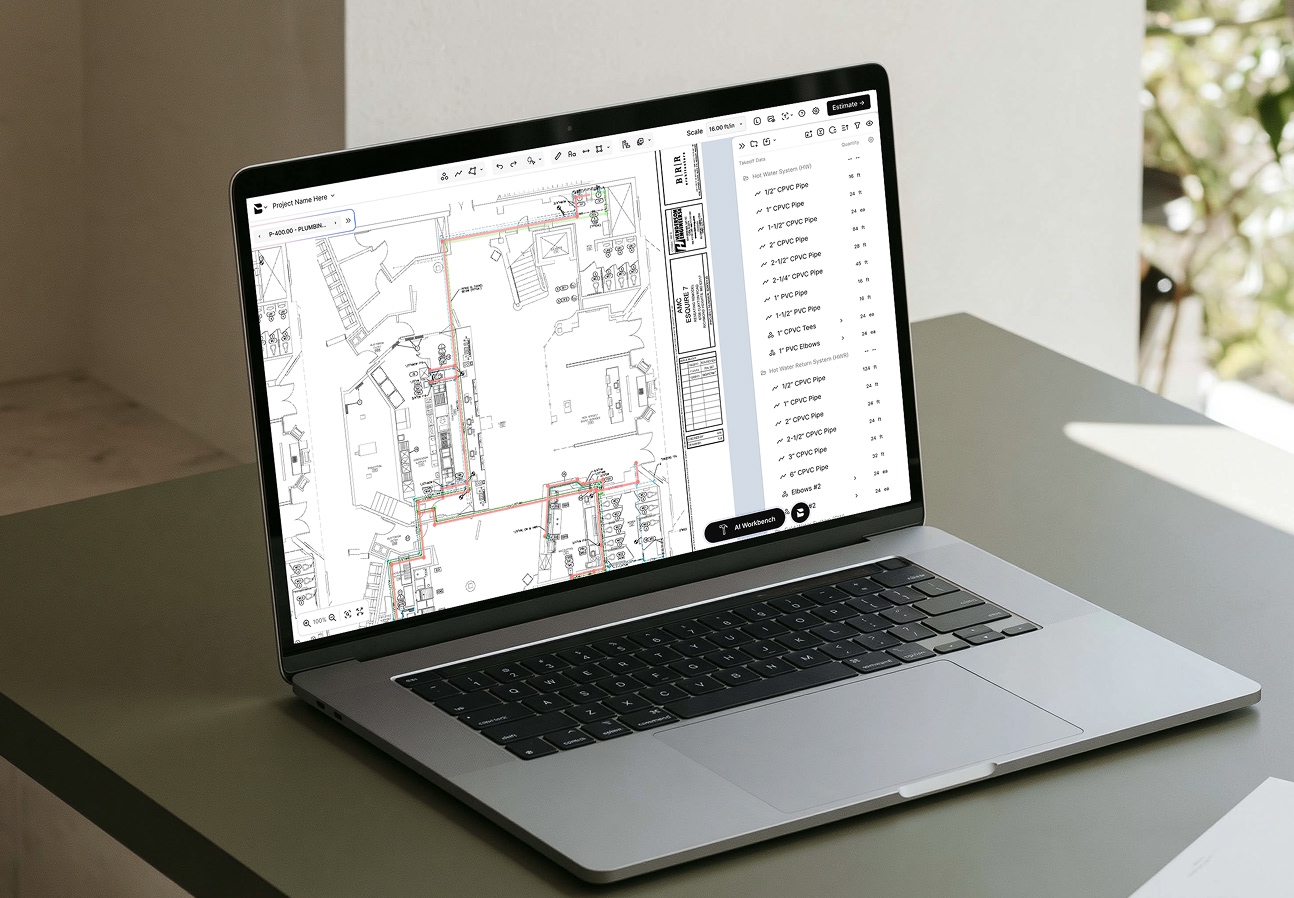
Drawings in, takeoffs out
Bobyard’s AI reads your drawings so your estimators can spend their time on strategy, not counting.
Book a demo


































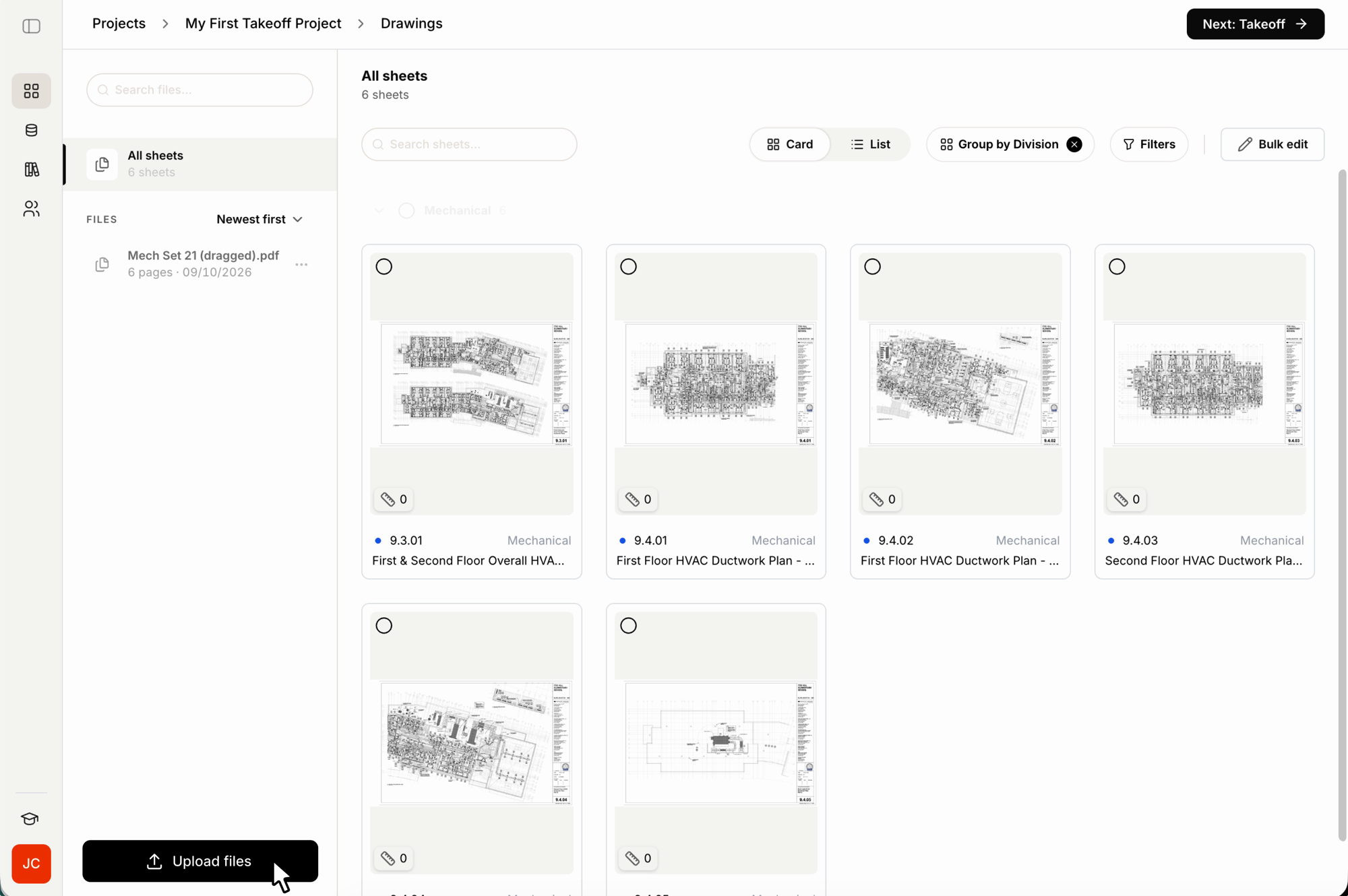
Upload your plans, and Bobyard does the rest
Upload a drawing
Bobyard's AI is computer vision trained to read real construction drawings and aerial images just like an estimator.
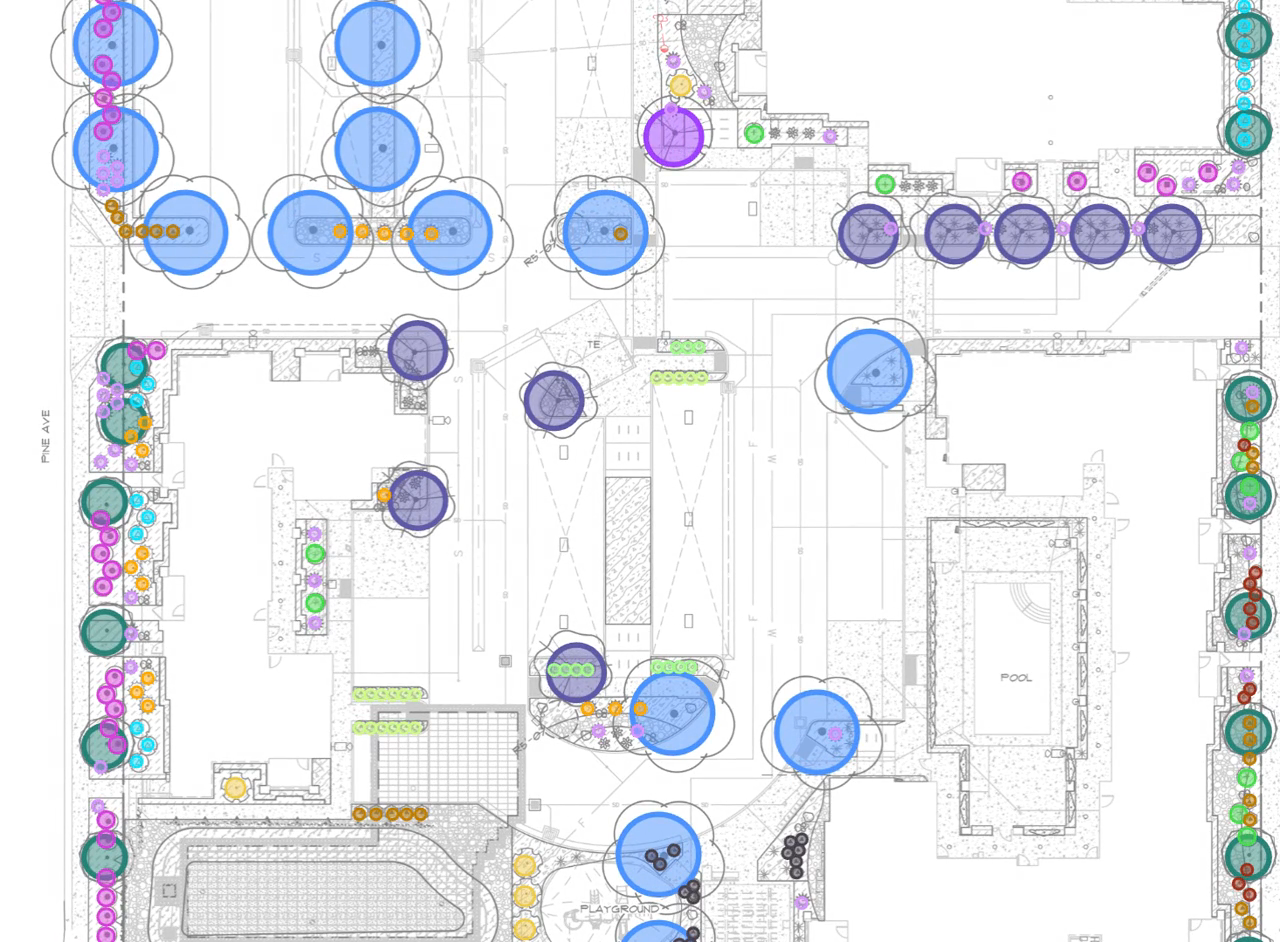
AI detects every quantity
Custom models built per trade count, measure, and organize everything on the sheet.
Confirm it in one pass
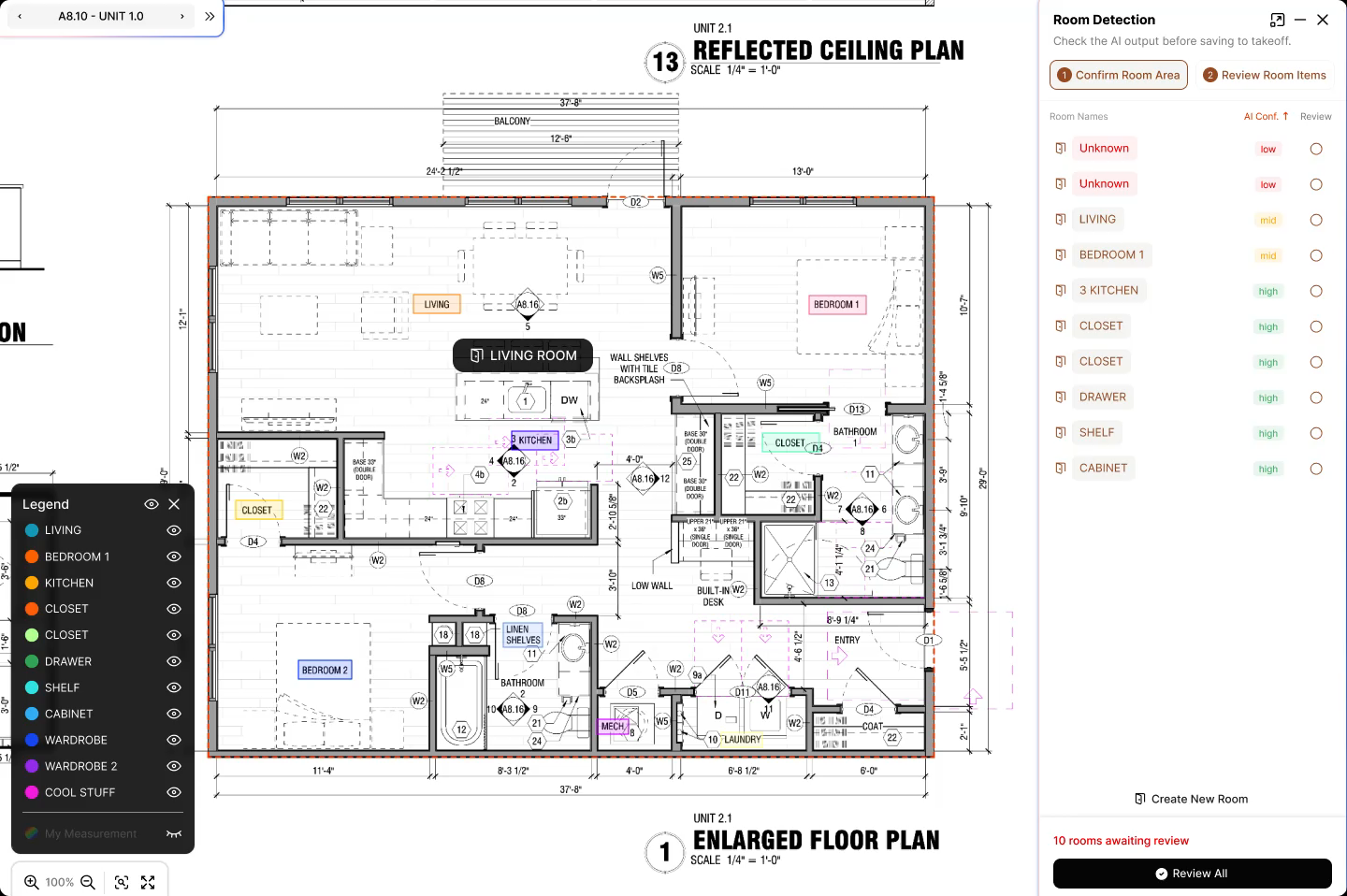
Every detection is confidence-scored, so you can focus your final review before moving it to the estimate table.
Why estimators choose Bobyard

Hours of measuring, done in minutes
Bobyard reads the drawing and hands your team a finished takeoff in minutes, not days.

Margin padding becomes profit margin
Accurate counts mean the cushion you used to add in goes straight to your margin instead.

Specialists work on their specialty
Estimators are freed from clicking and counting, so they can spend their time and skill on strategy that wins bids.
Why Bobyard takeoffs are different
Read any drawing or image
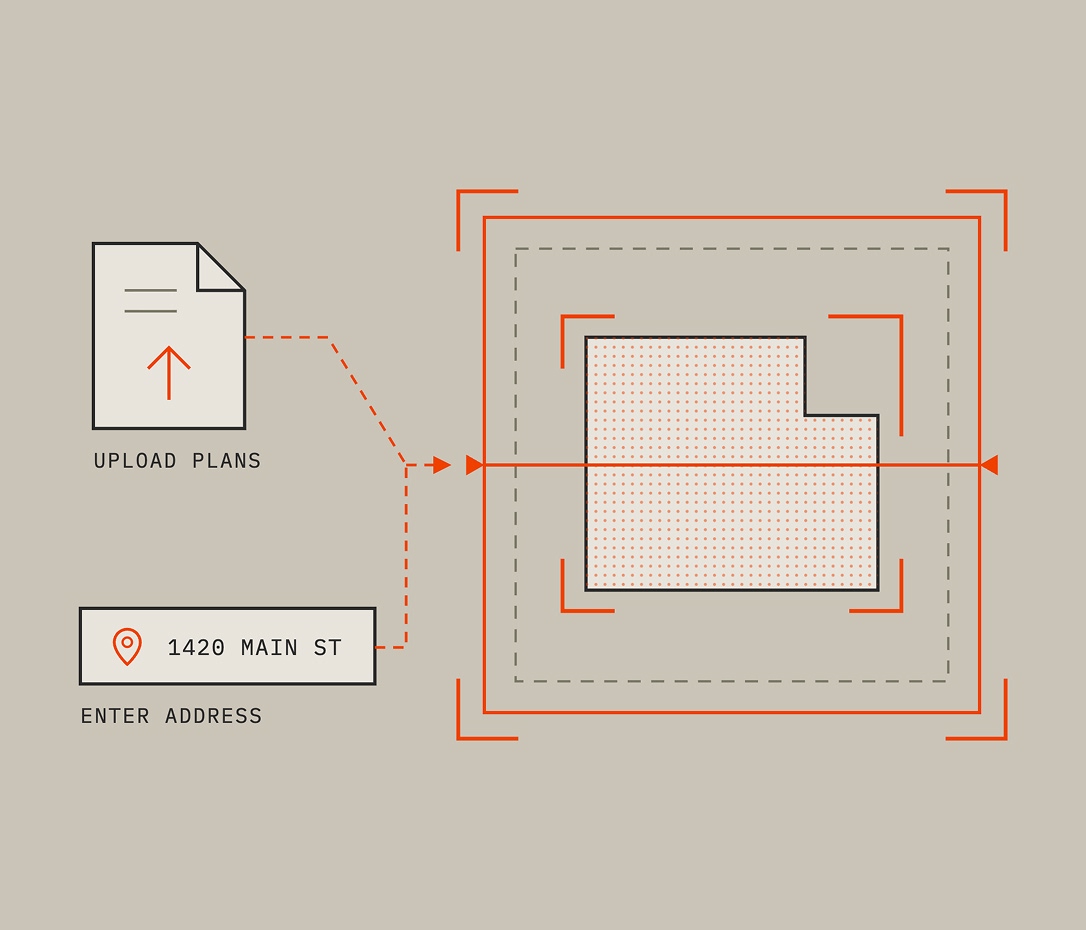
Custom AI models are trained for each trade and can read any drawing, plan, blueprint, or aerial image.
Count everything accurately
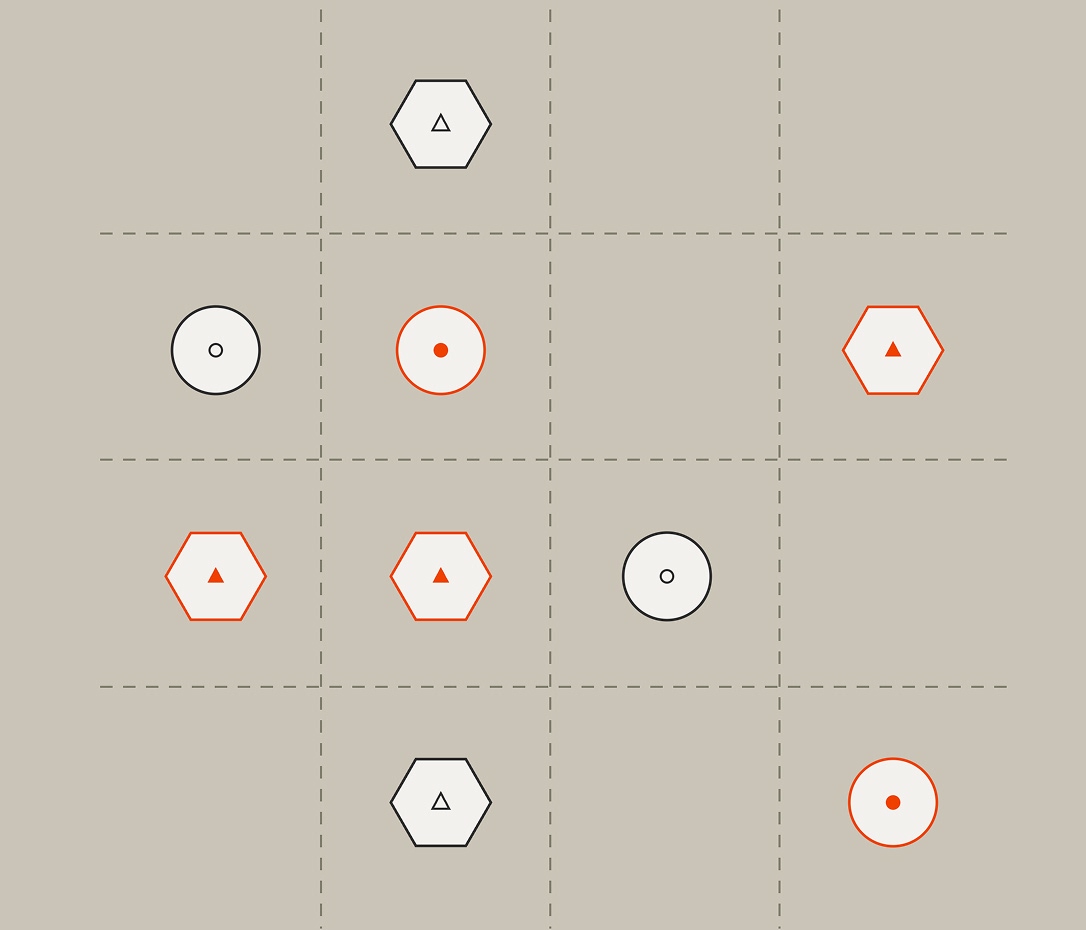
Bobyard automatically counts fixtures, devices, and symbols, and calculates lengths and areas. Multi-measure capture pulls linear, area, and volumetric quantities in a single pass.
Stay organized across your sheets and categories
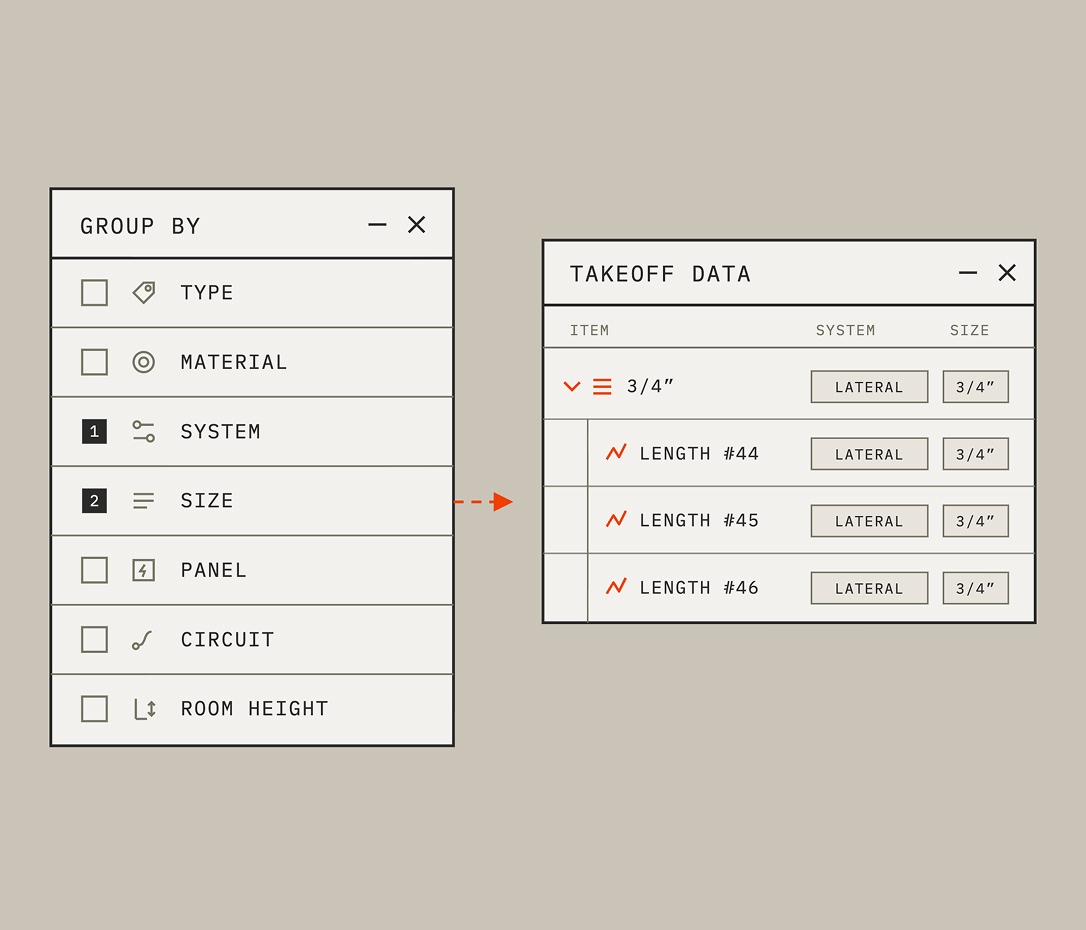
Detected quantities auto-group by room, system, material, or floor and keep them connected.
Focus your review only where it's needed
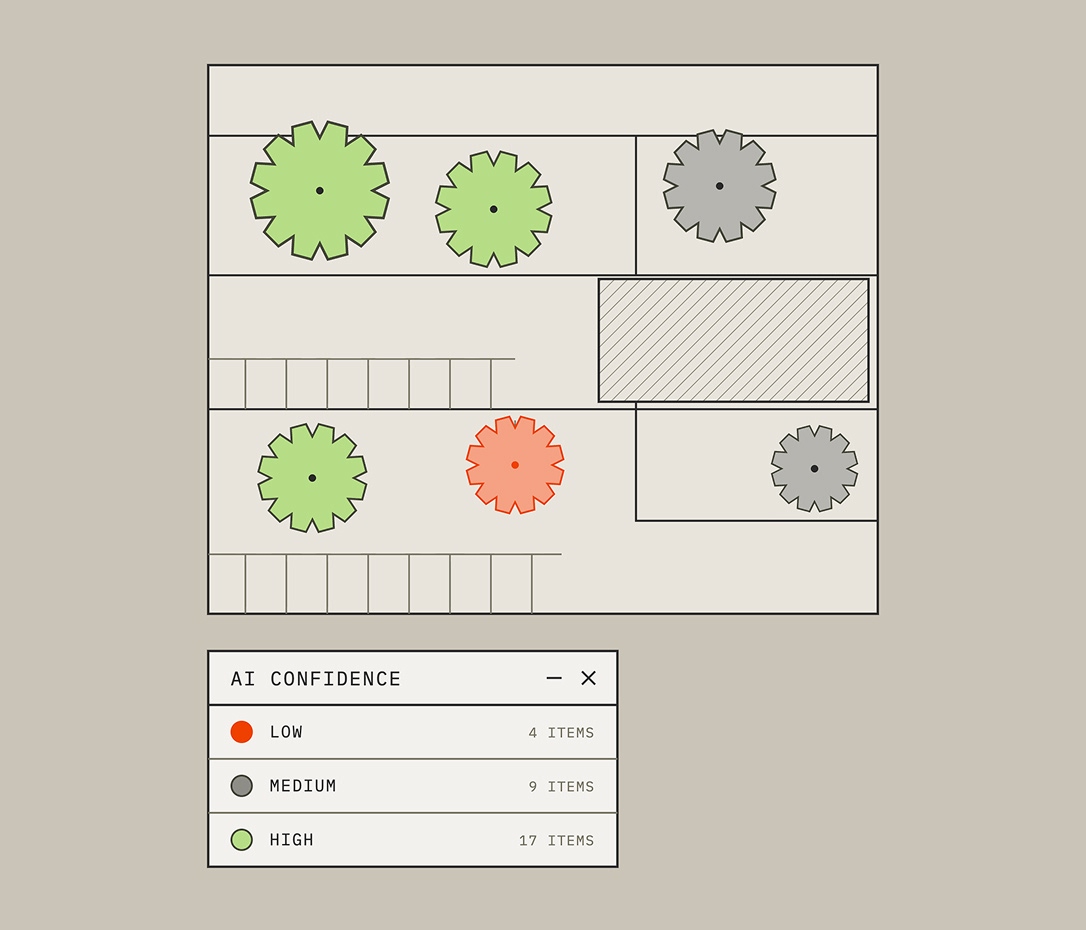
Confidence scoring shows you where to focus your review so you can ensure the most accurate estimate.
Keep quantities and pricing connected
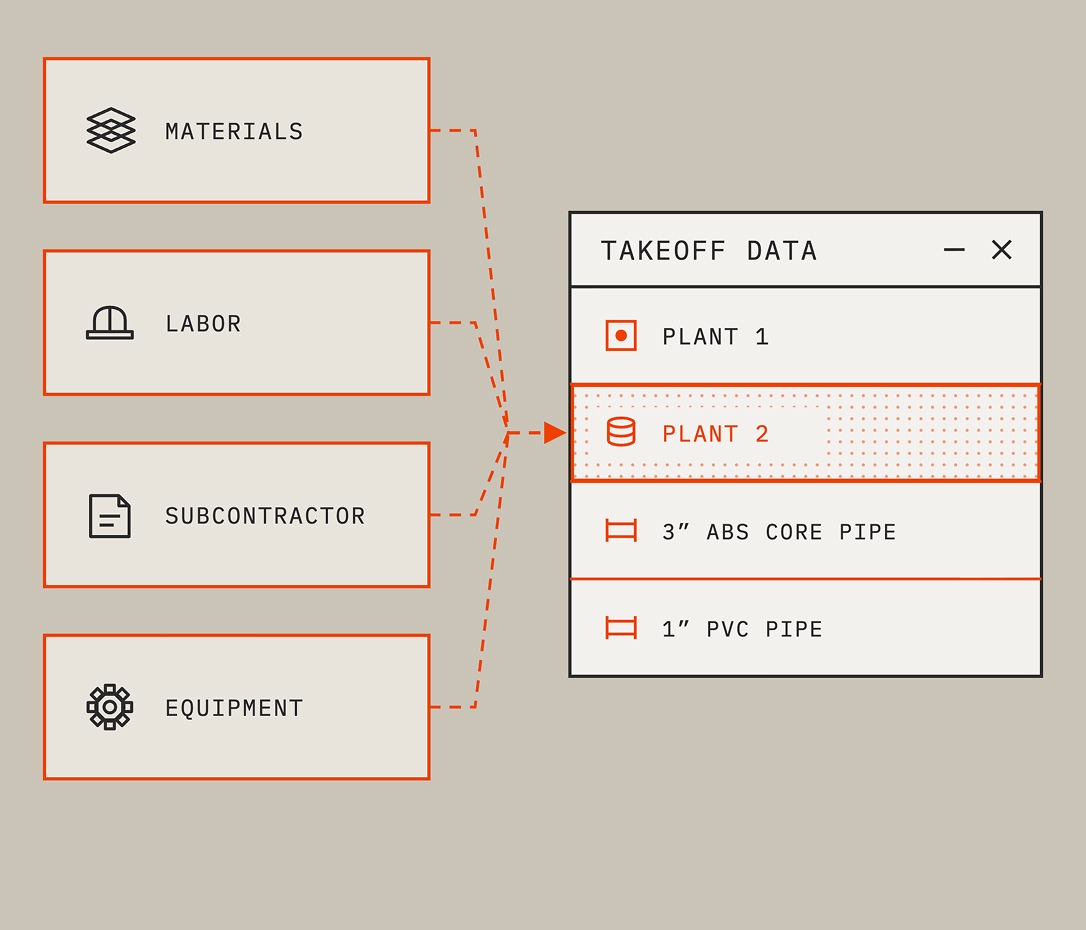
Each quantity and material is connected and flows straight into your estimate without rebuilding or recounting anything.
Ask Bob anything
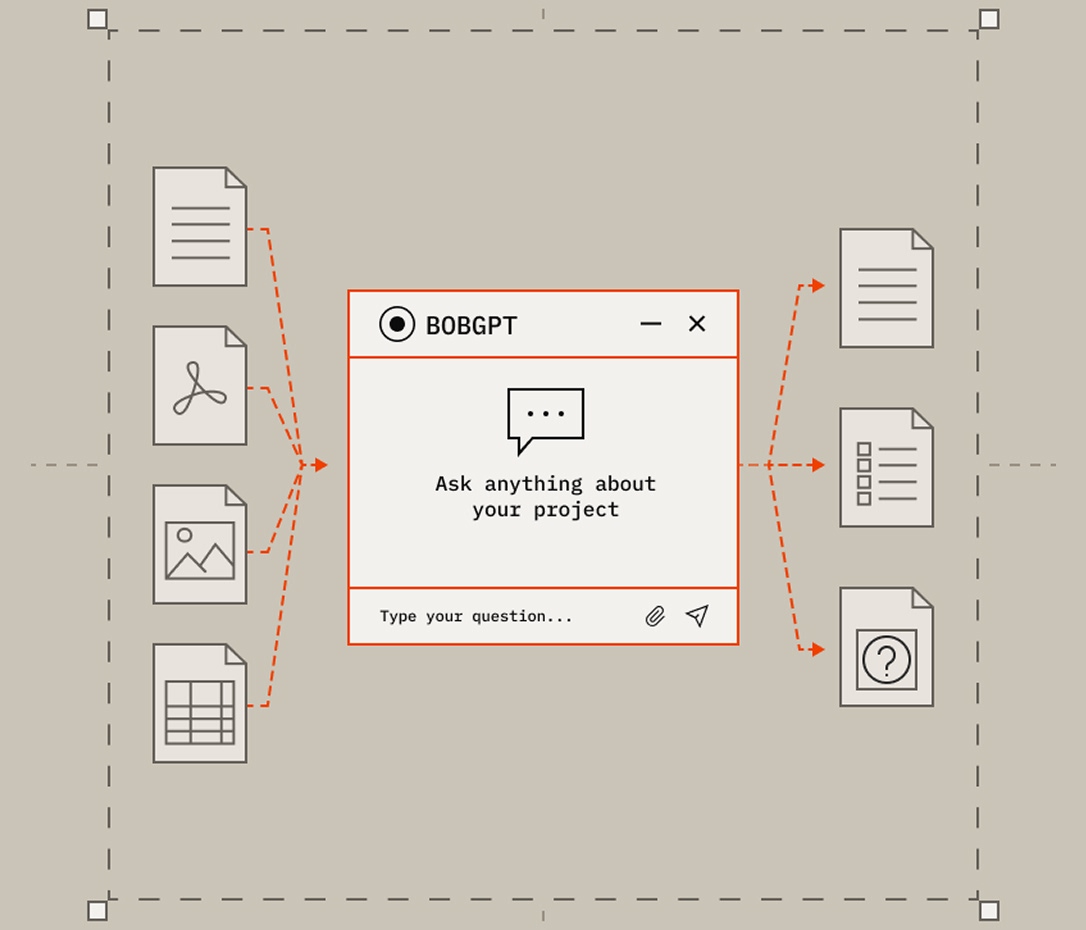
Bob, Bobyard's spec and RFI chatbot, reads the whole project and answers questions in context.
Real takeoffs, unbelievable results
Takeoffs are built around materials, so your quantities and pricing are already dialed in from the start. You can grab linear feet, area, and volume all in one pass. It's ridiculously fast. We're talking cutting takeoff time in half on real jobs.”
Marty Grunder · Founder, Grunder Landscaping
Bobyard’s AI tools are on another level now—way more intuitive, way more organized, and feel like they're working with you. Reviewing big plans that used to take hours now takes a fraction of the time.”
Marty Grunder · Founder, Grunder Landscaping

If you're trying to level up your estimating this season, there's nothing else like this on the market. Period.”
Marty Grunder · Founder, Grunder Landscaping
Before, I'd spend my entire day doing a takeoff when now I can spend maybe like an hour doing the takeoff, and I can spend the rest of the day working on submittals and getting pricing.”
Gustavo Fonseca · Project + Takeoff Engineer, New Path Landscape
I mean, you throw it in Bobyard, it'll autofill the whole legend. I'm probably saving 12 hours per project. It's a huge help to have the AI to go through it.”
Gustavo Fonseca · Project + Takeoff Engineer, New Path Landscape
The time frame of getting it, putting it in Bobyard, and then being able to do markups, and then sending it to our guys in the field? That happens within an hour, if not minutes.”
Vincent Jimenez · Senior Estimator, Landscape Connection
Before, I'd spend my entire day doing a takeoff when now I can spend maybe like an hour doing the takeoff, and I can spend the rest of the day working on submittals and getting pricing for some sort of product that we're going to need on a job.”
Gino Borello · Co-Owner, New Path Landscape

Bobyard's AI makes any estimator 1000x better.”
Rudy Prado · Estimator, K&D Landscaping

This is literally the future of estimating, and it's time to get on board.”
John Barrett · PM/Estimator, Chopper Landscaping
Features powering your takeoff
Four model types across count, length, area, and text work together to read a drawing the way an estimator would for their trade, not a generic scan with tons of errors.
• Count models. Detect and count symbols, fixtures, devices, components.
• Length models. Detect linear runs: pipe, wire, conduit.
• Area models. Detect surfaces, rooms, perimeters.
• Text/OCR models. Extract schedules, tables, legends into structured data.
Bobyard finds every match for symbols across pages, and pulls legends, schedules, and tables automatically.
• Pattern search. Find and mark every instance of a symbol/pattern across a sheet automatically.
• Hinting. AI-assisted detection that improves as the estimator corrects it in real time.
• Callouts. Detect and extract callout annotations.
• Association logic. Ties related detections together (e.g., pipes back to a valve, devices back to a panel schedule, fixtures grouped by system).
• Auto edge finder. Automatically identifies surface boundaries on maintenance and aerial takeoffs.
• Table extraction. Pulls schedules and legends into usable, structured data rather than flat text.
• Legend auto-fill / unified legend management. Reads and applies a sheet's legend automatically, rather than manual entry per symbol.
• Floor plan detection models. Room perimeter, wall perimeter, doors & windows.
• Deduction logic. Automatically nets openings out of wall/floor area calculations.
No duplicate work, no re-checking your own math. Quantities are captured together, organized as you go, and accurate enough to move straight to the estimate table.
• Multi-measure capture. One pass captures linear, area, and volumetric quantities together, no duplicate measuring.
• Material-centric takeoff. Quantities stay linked to pricing from the moment they're detected.
• Confidence scoring. Flags which detections are high-certainty vs. need estimator review.
• Review-before-lock. Every detection is editable/reviewable before it moves downstream.
• Cross-file-type search. Search across drawing sets and file types in one place.
• Linked pages. Jump directly between related sheets.
• Return-to-last-page. Resume exactly where you left off in a large set.
• Compare tool. Compare takeoffs, versions, or drawing revisions side by side.
• Smart folders. Organize takeoffs/projects systematically.
• Undo/redo & edit history. Full manual correction trail.
• Complex polygon editing. Manually adjust irregular detected shapes.
• Page unification. Large multi-sheet sets treated as one continuous workspace rather than page-by-page.
• Bob (spec & RFI chatbot). Reads the full project (specs, drawings, RFI log) and answers estimator questions in context.
Type in an address and Bobyard pulls high-res aerial imagery, detects surfaces, edges, and quantities for maintenance takeoffs.
• Address-based imagery pull (Nearmap/Vexcel partnerships)
• Paving: auto edge/curb detection on aerial imagery, asphalt area detection, striping counts
• Landscaping: groundcover, trees, water, buildings
Explore your trade
You're building the future. So are we. You're building the future. So are we. You're building the future. So are we.
You're building the future. So are we. You're building the future. So are we. You're building the future. So are we.
FAQ
Bobyard’s AI takeoff software uses custom-built computer vision to read construction drawings or aerial imagery and automatically counts, measures, and organizes the quantities estimators need to build a bid.
Estimators commonly cut their takeoff time by 50–90%, depending on drawing quality, trade, and how much review the estimator chooses to do.
No. Bobyard removes the manual counting and measuring so estimators can spend their time on scope, pricing, and winning bids.
Bobyard’s computer vision models are trained per trade, so they recognize each trade’s symbols and drawing conventions instead of treating every drawing the same. The quantities then carry straight into your cost database, estimate, and proposal, so nothing gets recounted or re-entered.
Every detection is reviewable, with confidence scoring to show you where to focus, before anything moves to the estimate table.