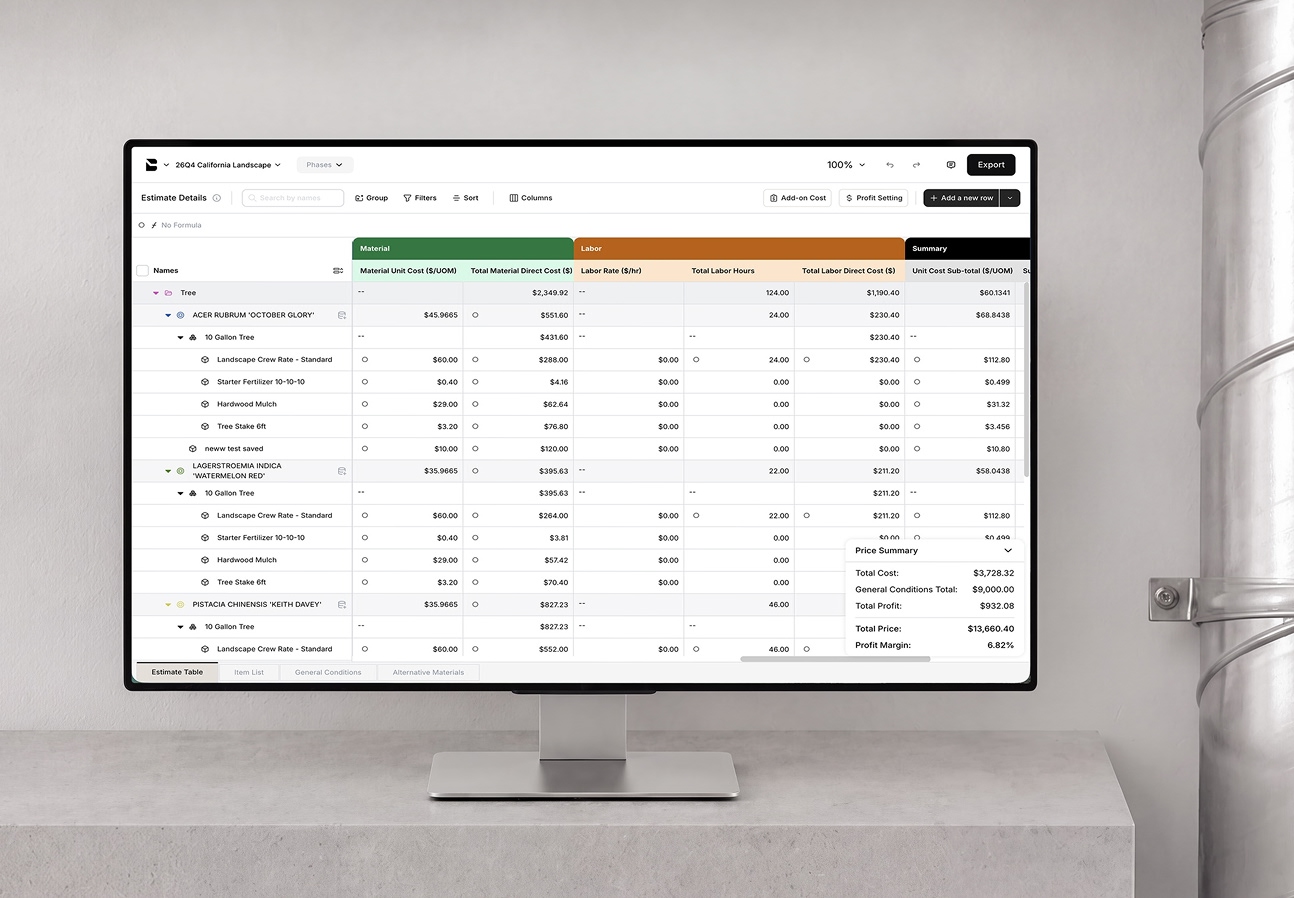
Winning bids start with an estimate in Bobyard
Bobyard gives you the speed to not miss a bid, with the precision to make each one count.
Book a demo

































Three steps to a polished proposal
Build your cost database
Add items, assemblies, and folders once, with material, labor, equipment, subcontractor costs all in one place.
Connect it to your estimate
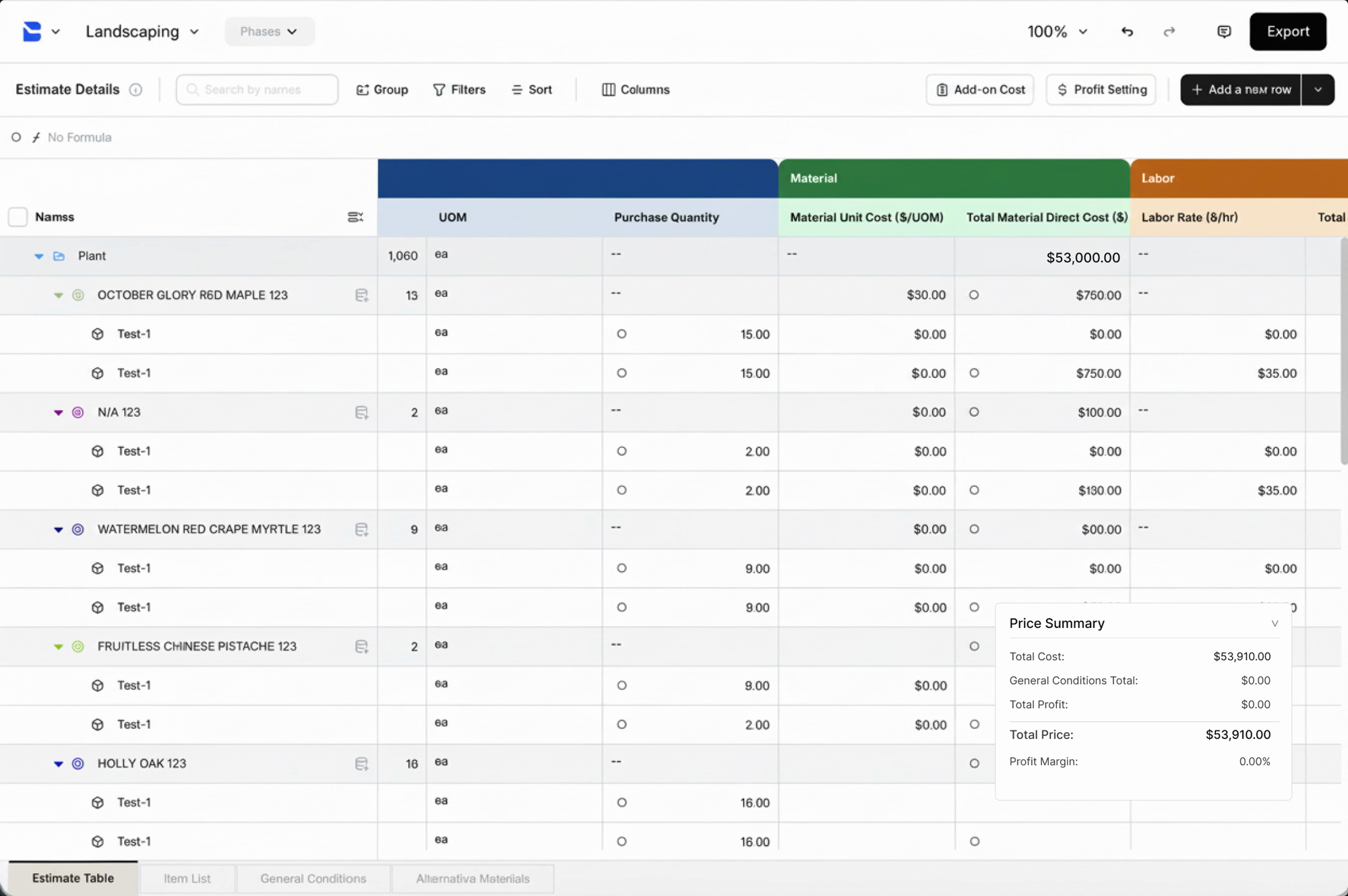
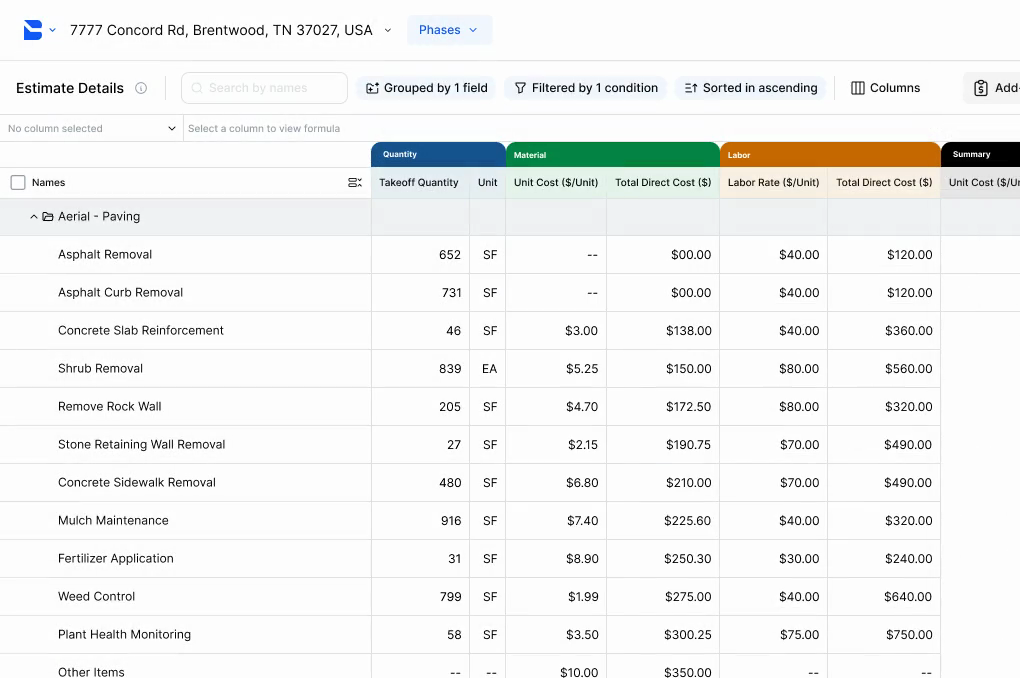
Your takeoff counts and cost database numbers flow straight into a configurable estimate table, with no re-entry.
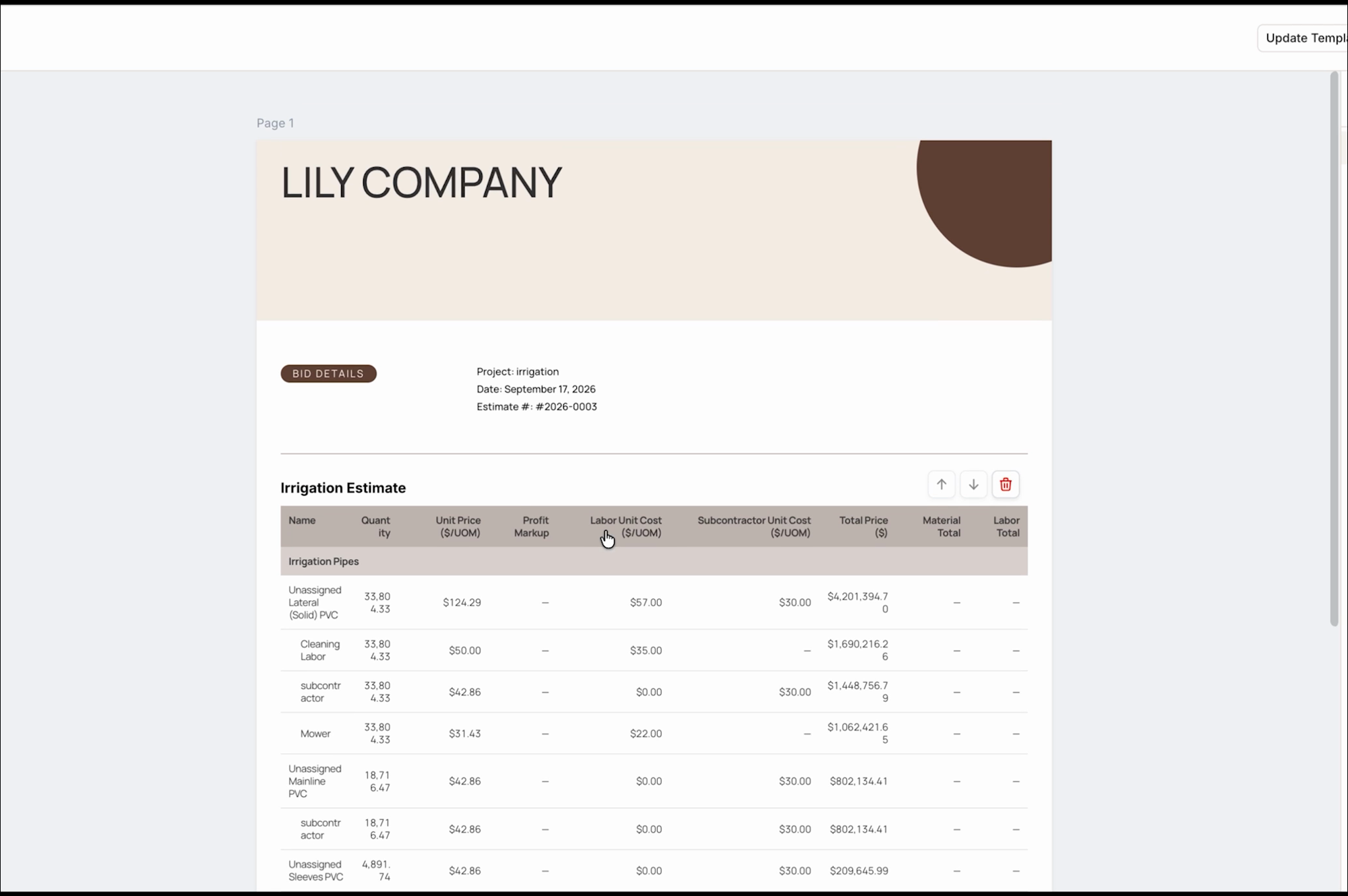
Export a client-ready proposal
Generate a branded, client-ready proposal in one click.
Why estimators choose Bobyard
Beat the competition to the client’s inbox
A polished, accurate bid done fast can be the difference between winning and losing a job.

Win more bids without cutting corners
More bid volume can leave more room for error. Bobyard's speed and accuracy ensures your bid quantity and quality.

Grow the bottom line, and your career
Free from manual clicking and counting, estimators can focus on the work that grows the business and their skillset.
What’s inside every Bobyard estimate
Never start a bid from zero
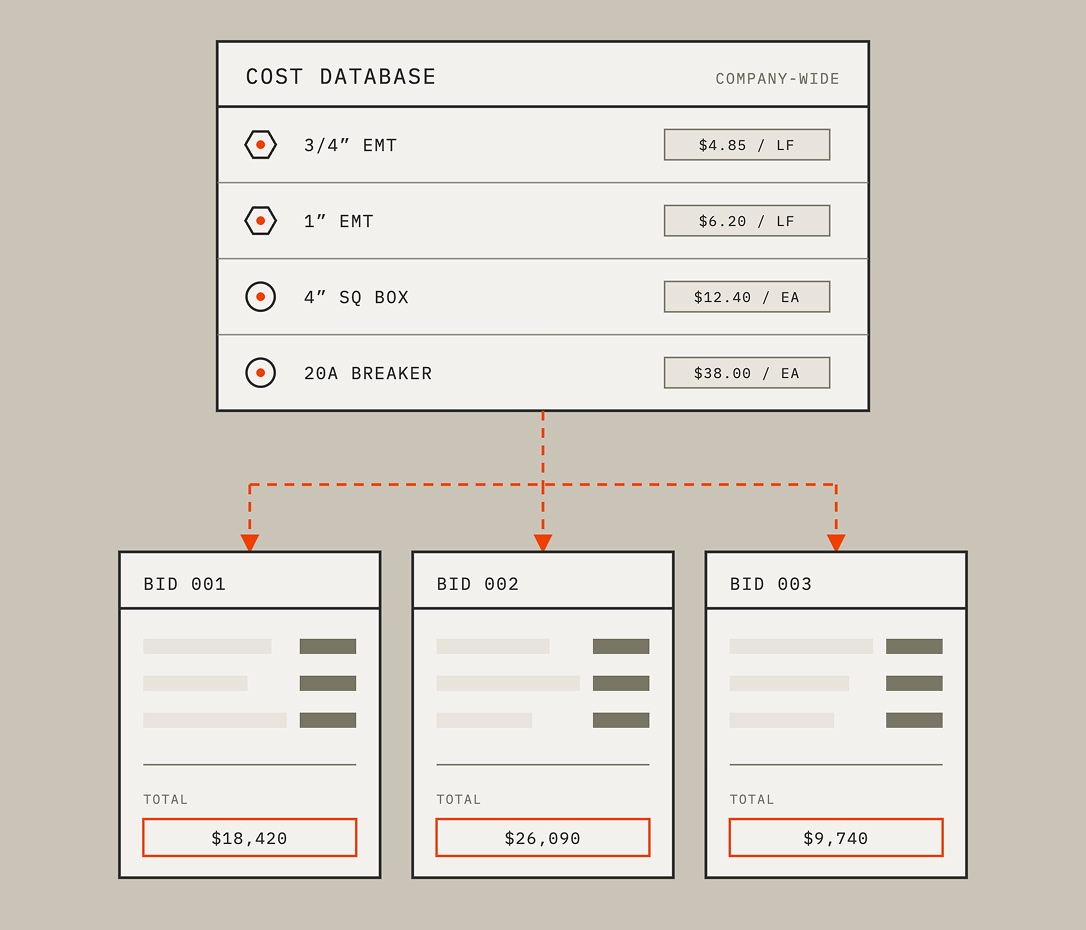
Your reusable cost database carries forward company-wide, so pricing built on one job is ready for the next.
See the full cost breakdown
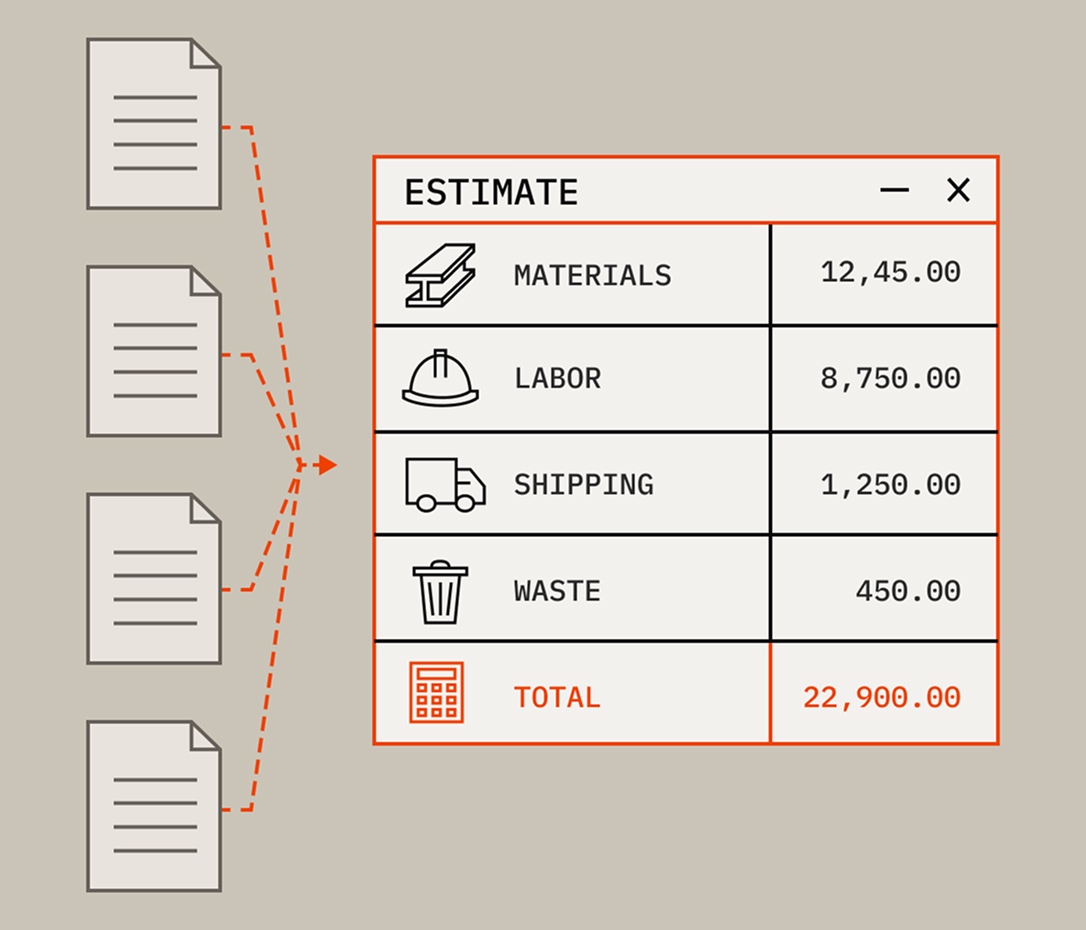
Know exactly what's driving the numbers across materials, labor, equipment, subcontractor, broken out instead of buried in one total.
Update once, apply everywhere
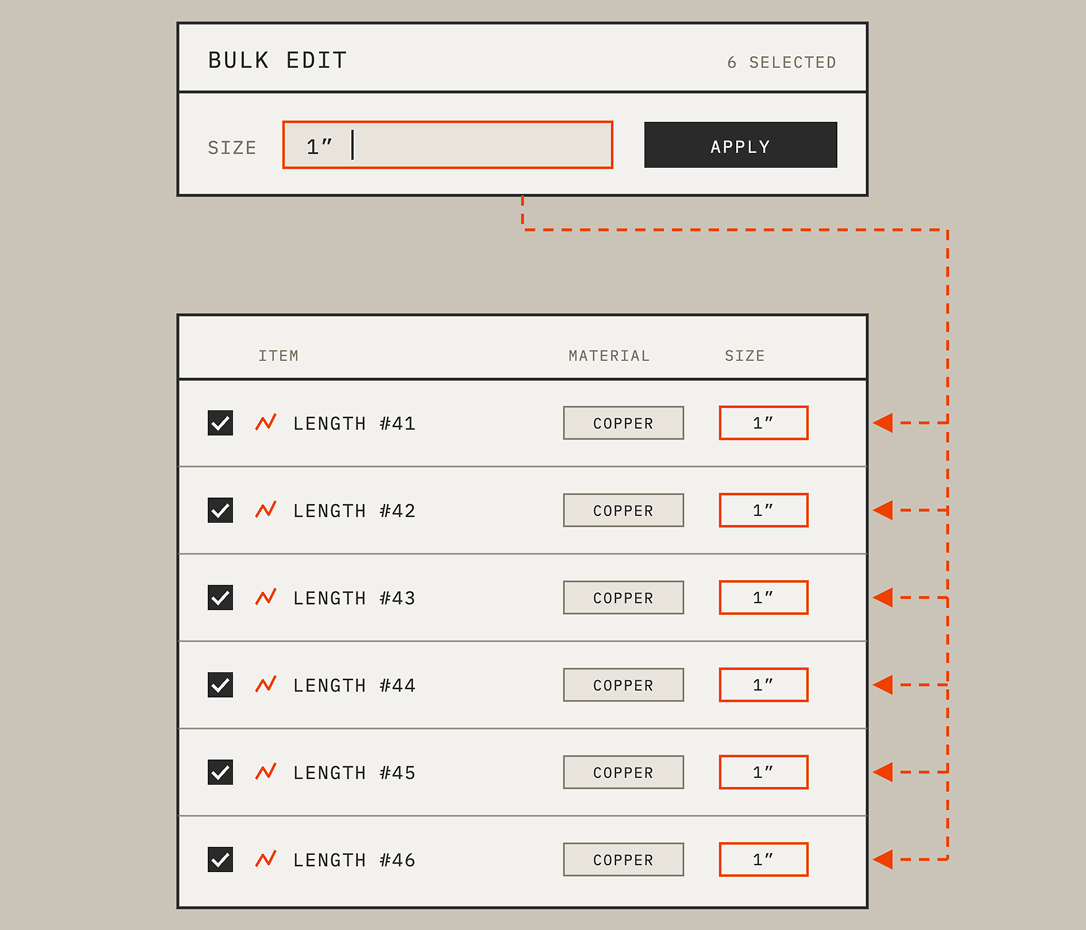
Bulk-edit items across the entire table instead of correcting them one by one.
Bundle costs into stackable assemblies
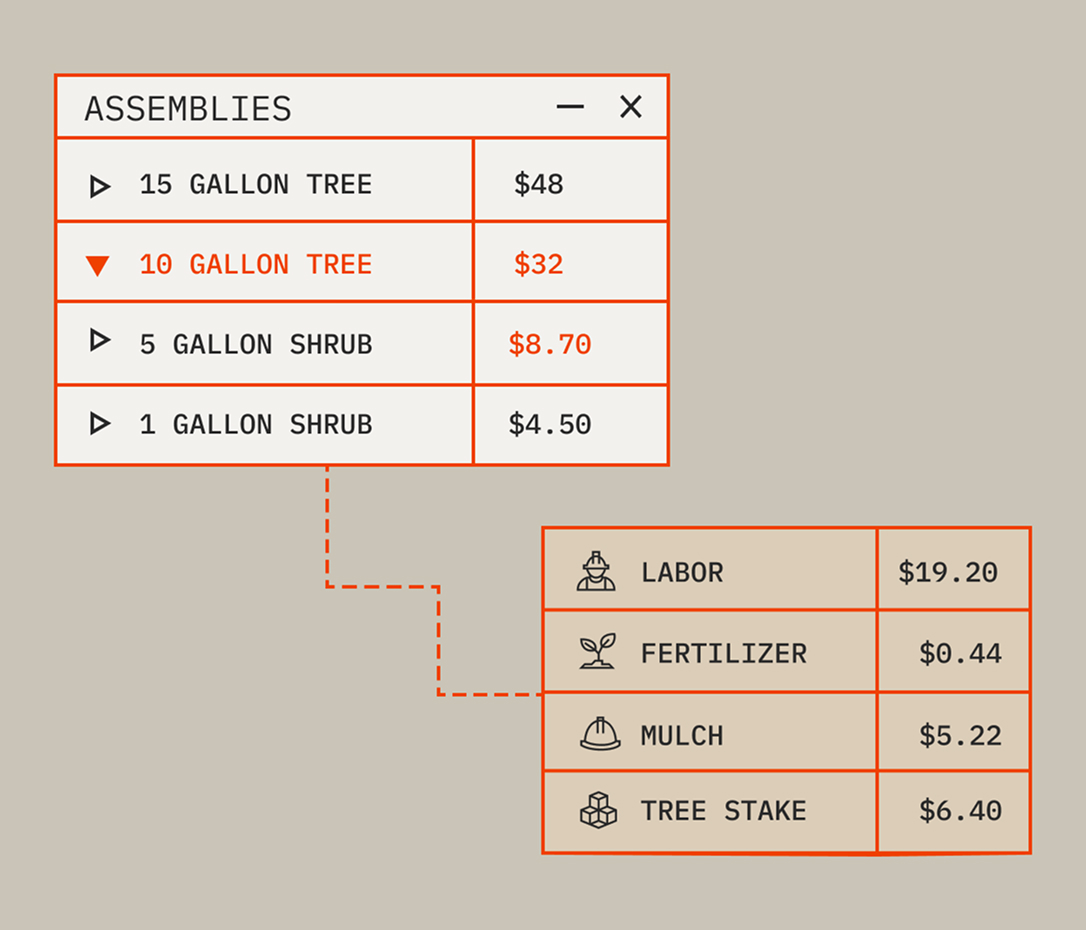
Combine smaller cost assemblies into bigger ones, without rebuilding from scratch every time.
Set your prices accordingly
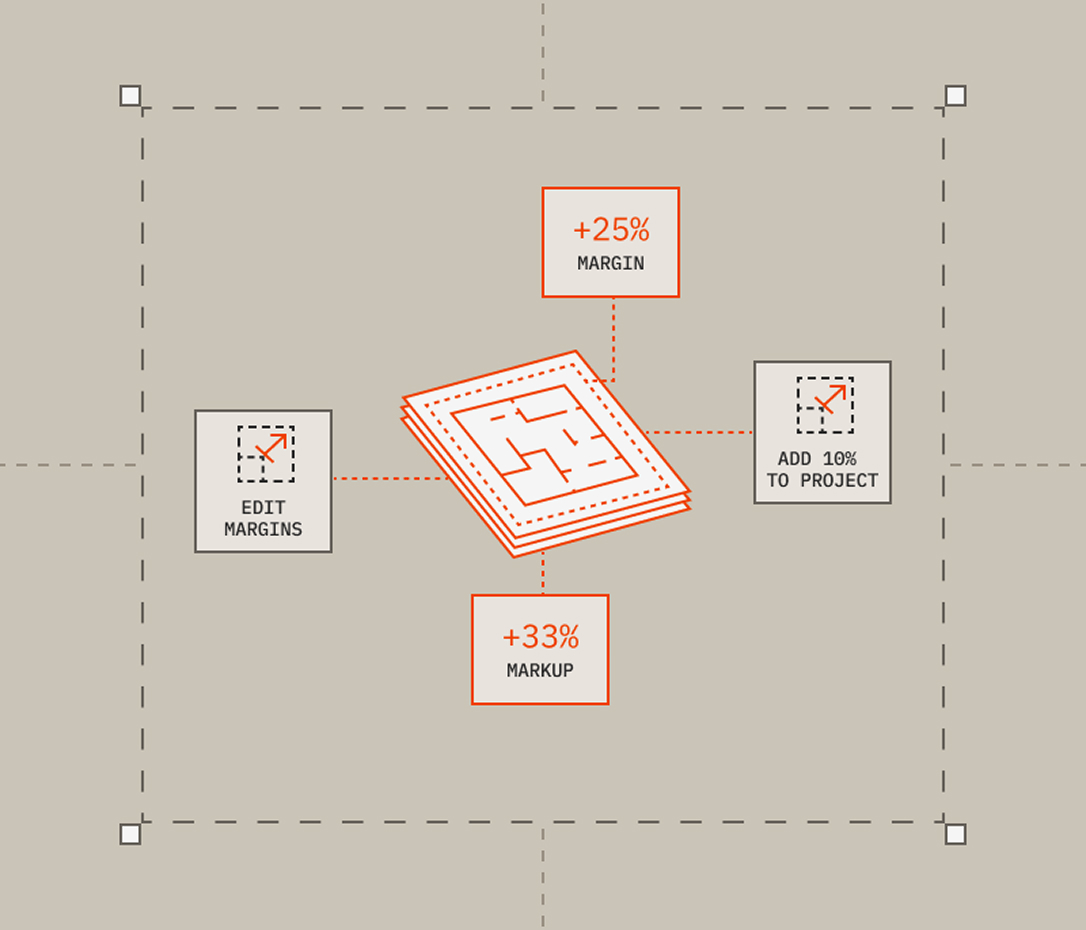
Set tax and overhead by cost type and choose between markup or margin, so the estimate matches how you actually price a job.
Get a client-ready proposal
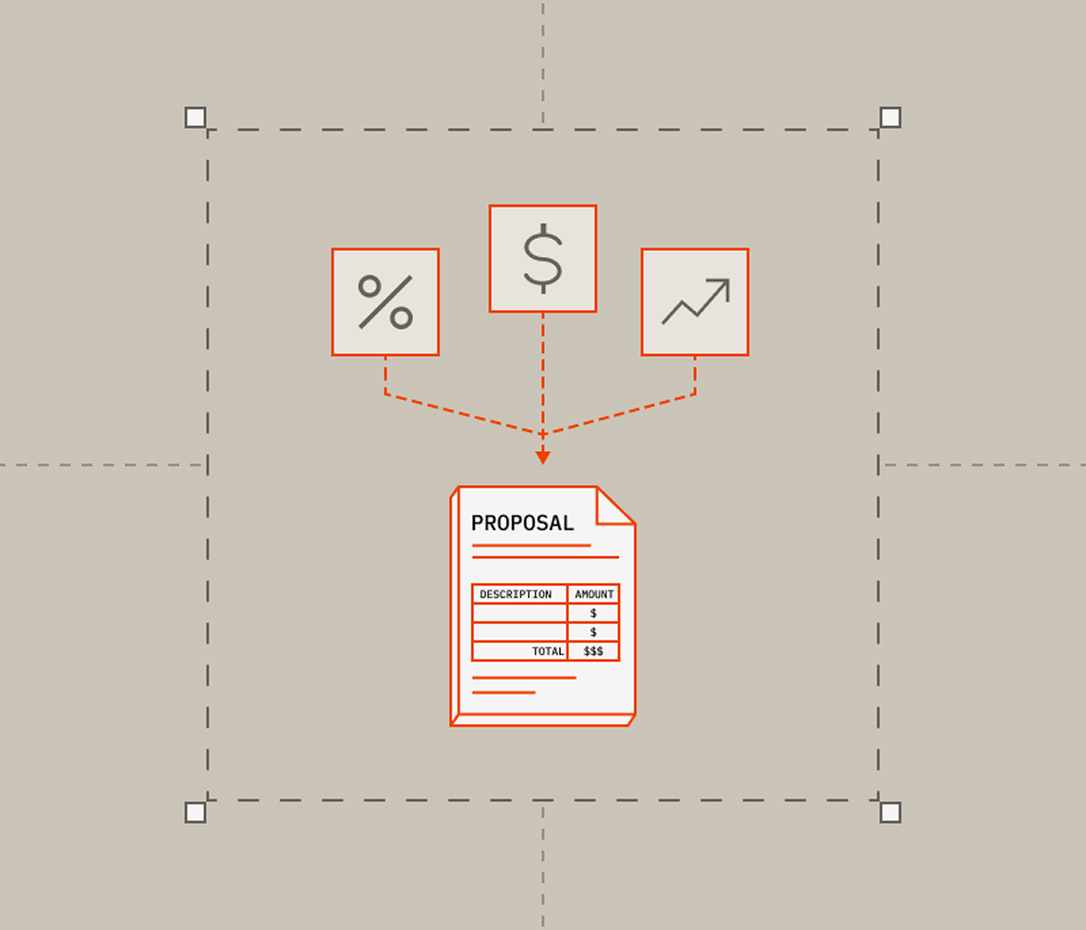
Generate a branded, polished proposal straight from your estimate without exporting to another doc or tool.
Trusted by estimators and owners like you

Bobyard has helped in getting a lot more work our way. And through that, we have been able to hire more workers.”
Vincent Jimenez · Senior Estimator, Landscape Connection
The time frame of getting it, putting it in Bobyard, and then being able to do markups, and then sending it to our guys in the field? That happens within hours, if not minutes.”
Vincent Jimenez · Senior Estimator, Landscape Connection

This is literally the future of estimating in landscaping, and it's time to get on board.”
John Barrett · Chopper Landscaping
We used to have two takeoff engineers in our office quantifying everything the old school way—clicking on every last symbol, pulling lines on every last line. What used to take a day now takes about an hour.”
Gino Borello · Co-Owner, New Path Landscape

I would strongly recommend Bobyard just because of the time saved, the accuracy, the efficiency.”
Selena Herren · General Manager, Smith & Enright

Bobyard is a tremendous tool. I would never go back to the way that we did it before.”
Quint Henninger · EVP, Green Landscaping
Features powering your estimate
• Multiple cost types on one item. Capture material, labor, equipment, and subcontractor cost in a single entry, instead of splitting one item across several lines.
• Bundle items into assemblies. Build small cost bundles once, then stack them into bigger ones for complex jobs.
• Bulk CSV import. Bring in years of pricing you've already built, without retyping a single line.
• Folders. Organize your database by division, size, or however your team thinks about pricing, so the right cost is always easy to find.
• Purchase-unit conversion. Bobyard converts your measured quantities into the units you actually buy in, so the ordering math is already done.
• Bulk-edit items. Update a cost once, and every line item using it updates with it.
• Tax and overhead by cost type. Apply different rates to labor, materials, equipment, and subs, because they don't cost the same to carry.
• Distributed indirect cost pool. Spread indirect costs proportionally across the cost types you choose, instead of an even split that doesn't reflect your business.
• Markup or margin toggle. Price the way you already think about profit.
• Configurable profit base. Choose exactly which costs your profit is calculated on.
• General conditions and alternates tables. Keep base-bid costs and optional add-ons cleanly separated, so nothing gets missed or mistakenly included in the final number.
• Custom columns and formulas. Build the exact calculation your business needs, even for pricing logic specific to one trade or job type.
• One-click export. Go from a finished estimate to a proposal without leaving Bobyard.
• Branded templates. Every proposal looks like it came from your company, not a generic export.
• Auto-fill details. Relevant company details straight from your Bobyard account, so you're not retyping the same info every time.
Explore your trade
You're building the future. So are we. You're building the future. So are we. You're building the future. So are we.
You're building the future. So are we. You're building the future. So are we. You're building the future. So are we.
FAQ
Construction estimating software helps contractors turn takeoff quantities into priced bids by applying costs, overhead, and profit to generate an accurate number to send to a client.
AI estimating software starts from the drawing: the AI produces the takeoff, and those quantities flow straight into your reusable cost database and estimate table instead of being re-entered in another tool. Bobyard carries the same work through to a branded proposal, so estimators spend their time on scope and pricing decisions rather than rebuilding numbers.
Yes. Bobyard connects your estimate directly to a branded, client-ready proposal, generated in one click without exporting to another tool.
Look for software that automates your takeoffs and connects them to an estimate table, with a reusable cost database, tax and overhead set by cost type, markup or margin, bulk editing, and a branded proposal with no manual entry.
Yes. Bobyard can carry a job from takeoff through estimate and proposal on its own, or you can export to CSV, Excel, or PDF and keep your current estimating system.