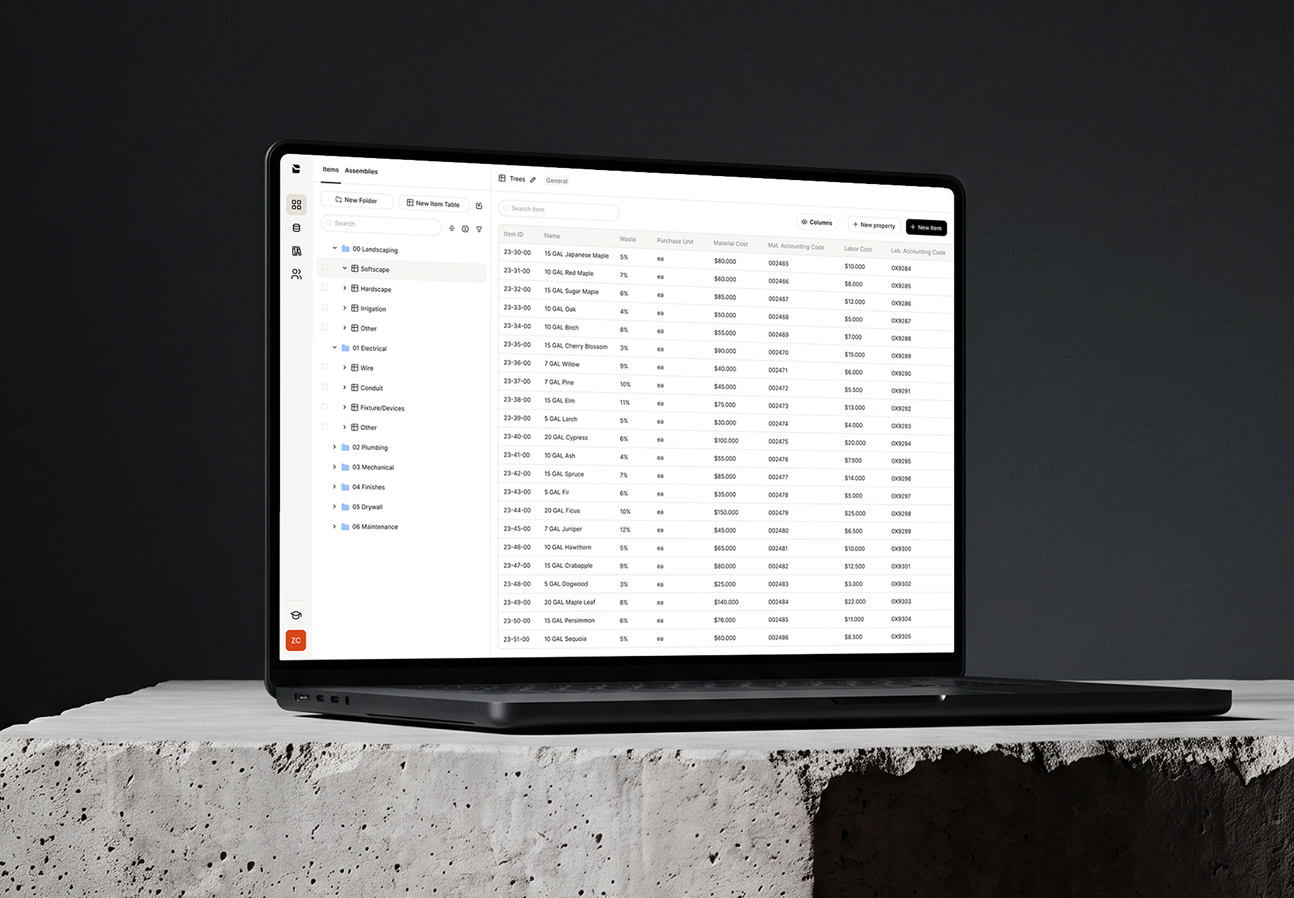
Stop pricing jobs from scratch
Build your cost database once, and get a reusable library of items and assemblies so you never start a bid from scratch.
Book a demo


































Set it up once, use it on every estimate
Add your items
Enter your material, labor, equipment, and subcontractor costs, or import a cost library you've already built using Bobyard's template.
Organize and bundle
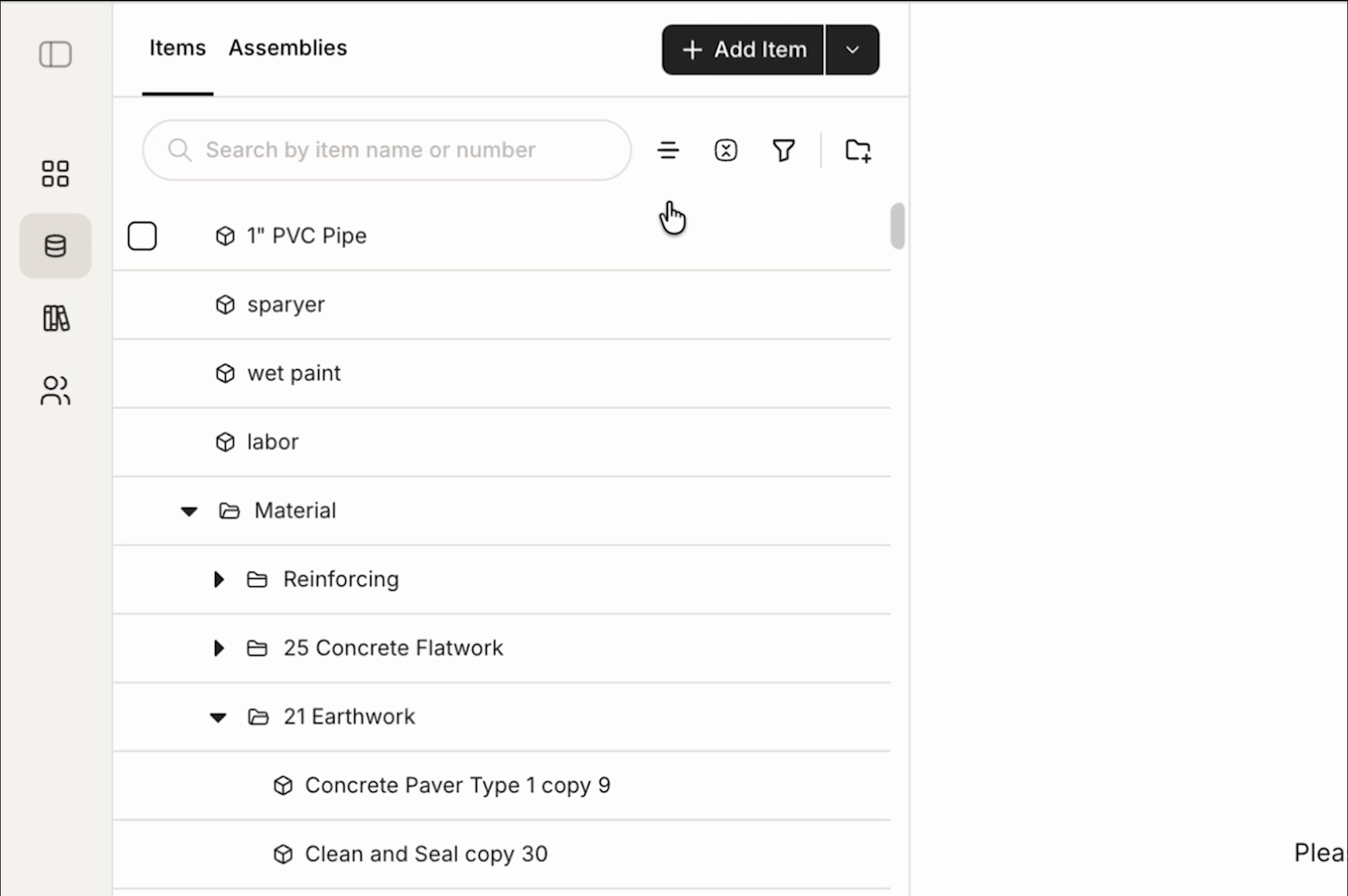
Combine items into reusable assemblies, and structure your whole database into folders that match how your team already prices.
Reuse it again and again
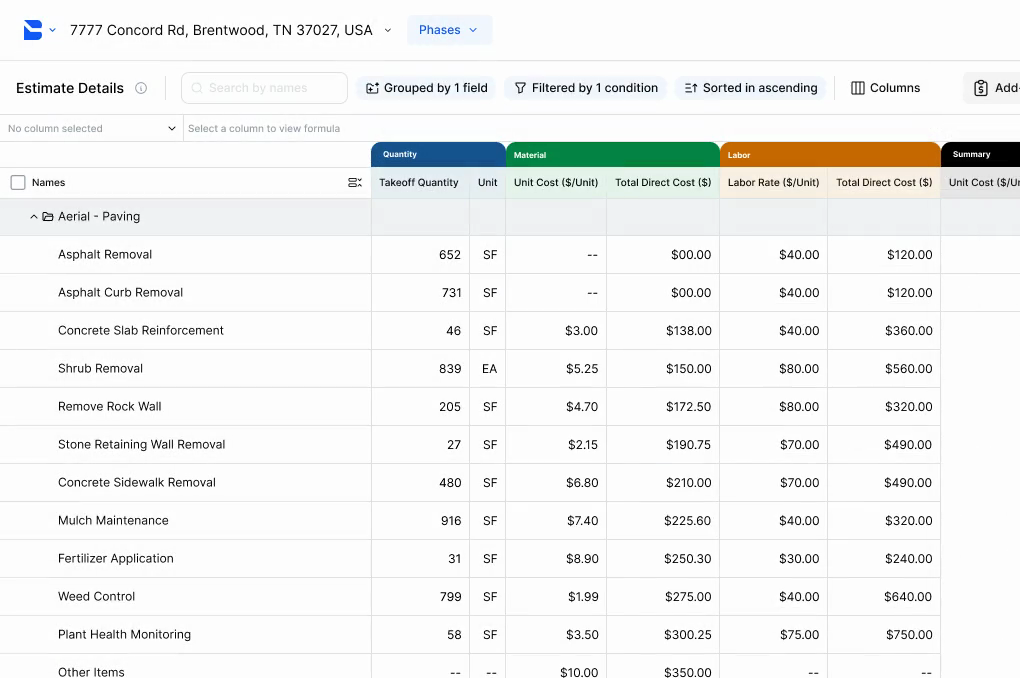
Every item and assembly you build connects straight into your next estimate, so never have to start from scratch.
Why estimators choose Bobyard
Have one source of truth
Every estimator prices from the same numbers instead of different or outdated numbers that can cost you the bid or eat into margin.
Bring your pricing with you
Import your existing cost libraries from day one so you aren’t rebuilding years of work.

Protect your margins across categories
When costs are broken out instead of blended into one number, you can see exactly where to make tweaks before it eats into your margin.
What’s inside your Bobyard cost database
Capture the full cost of each item
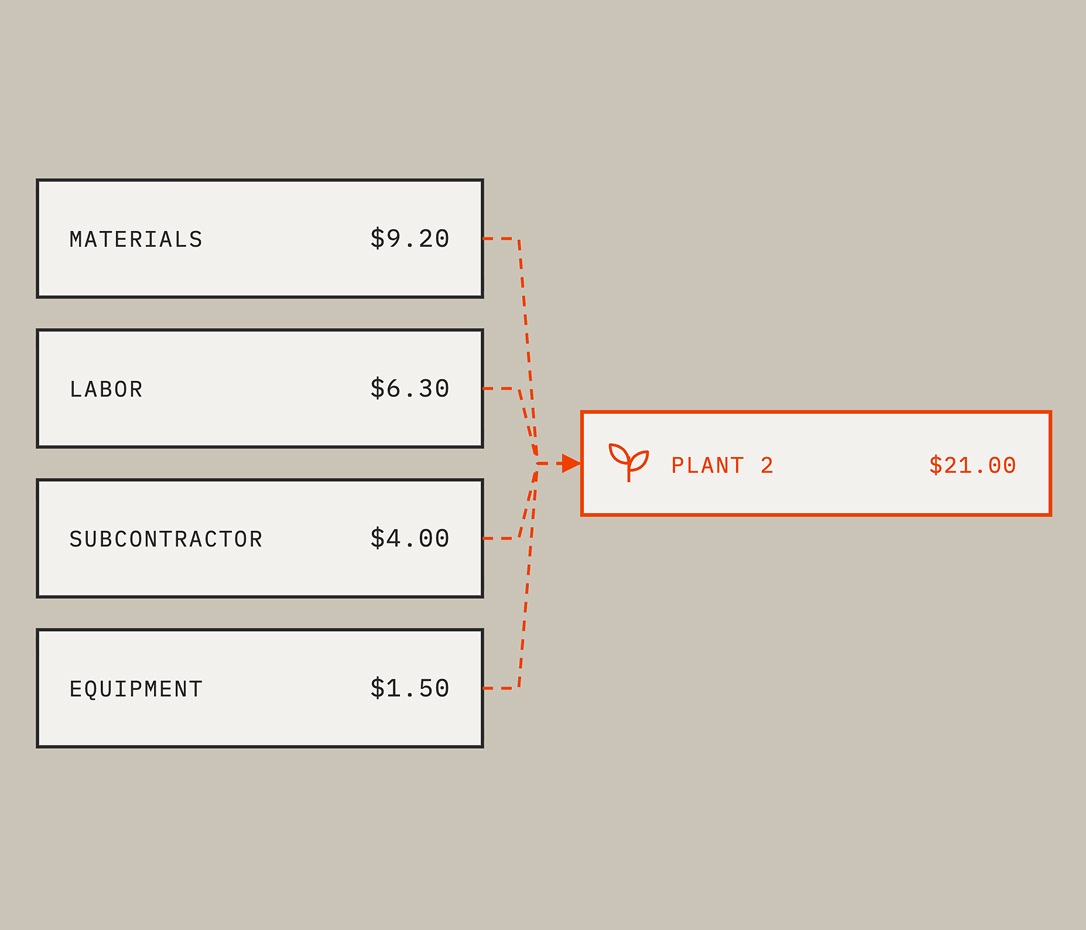
Set material, labor, equipment, and subcontractor cost on a single item, so nothing's left out of the number.
Import an existing library
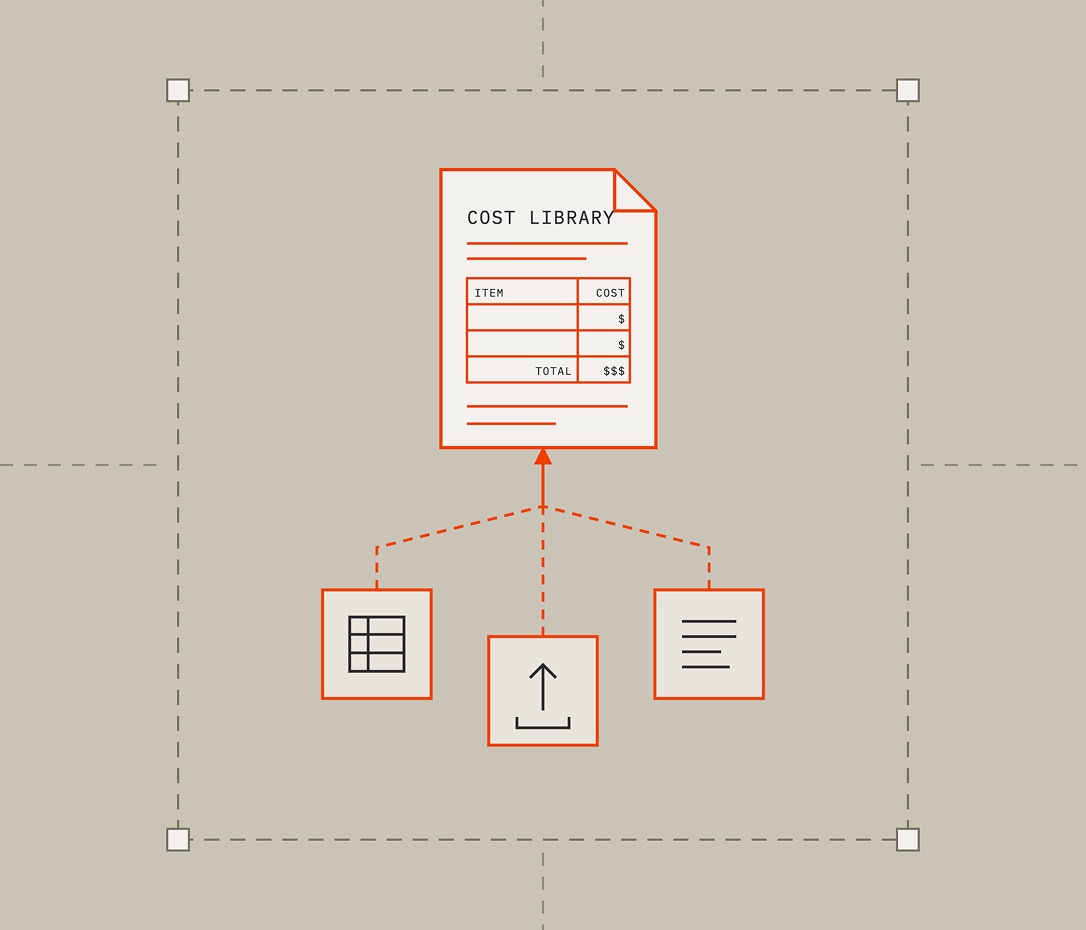
Bulk import an existing cost library with Bobyard's standardized template.
Turn small bundles into big ones
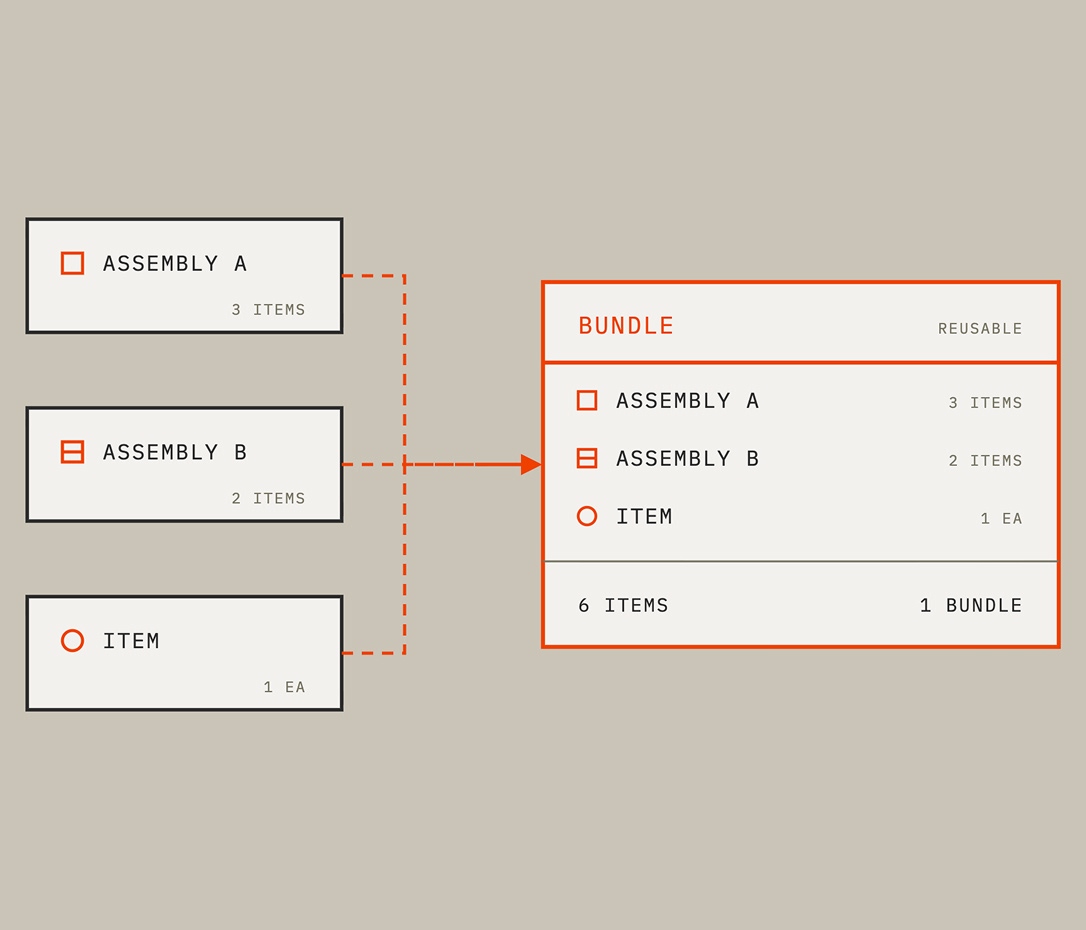
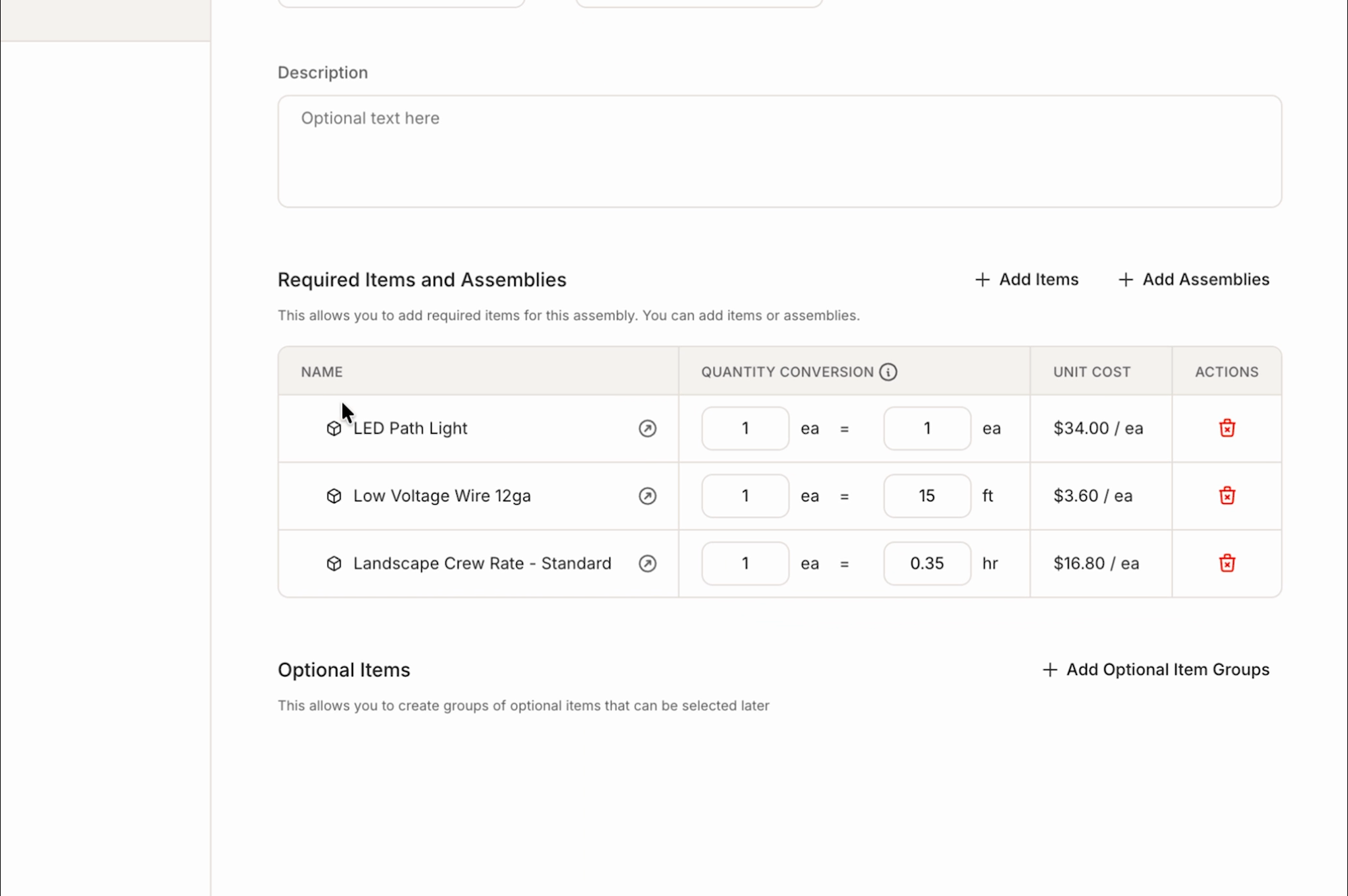
Combine items and other assemblies into one reusable bundle, simplifying complex installs.
Organize it your way
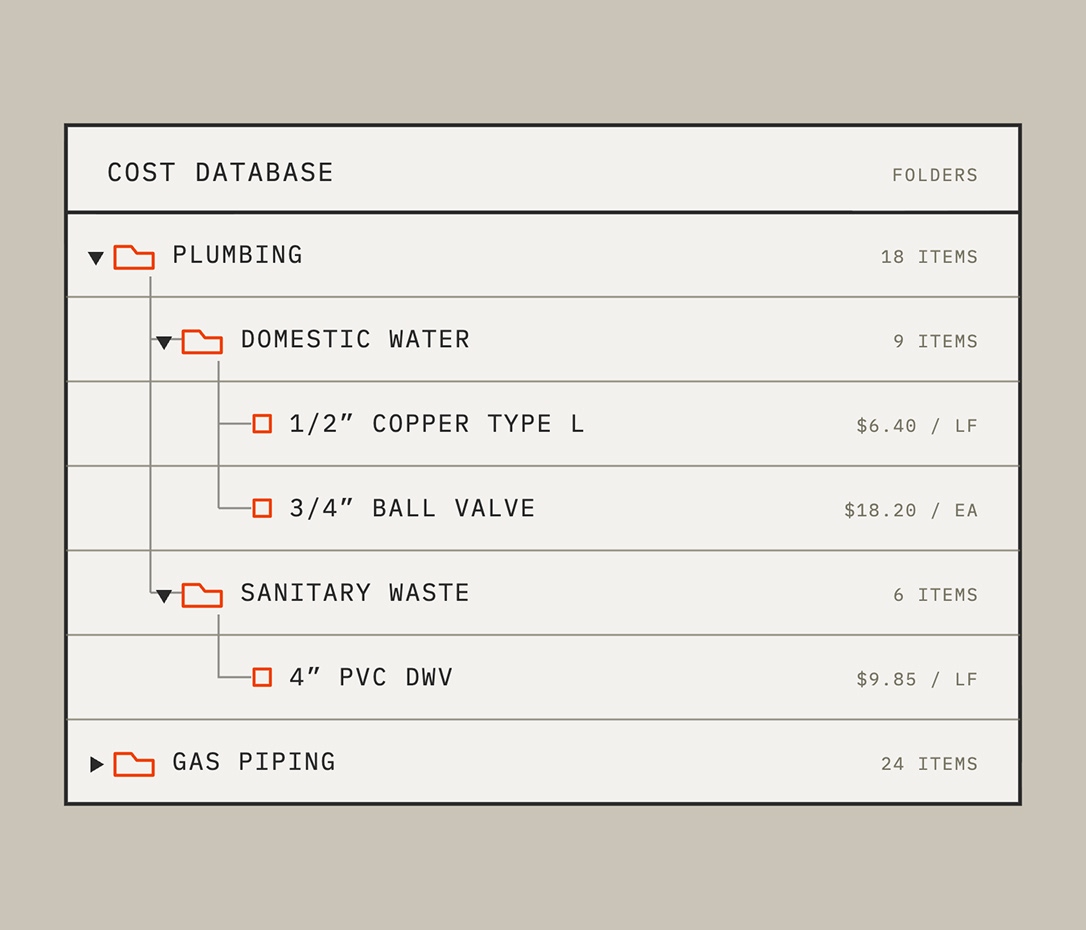
Use folders to structure your database according to how you think about pricing.
Set the right labor rate
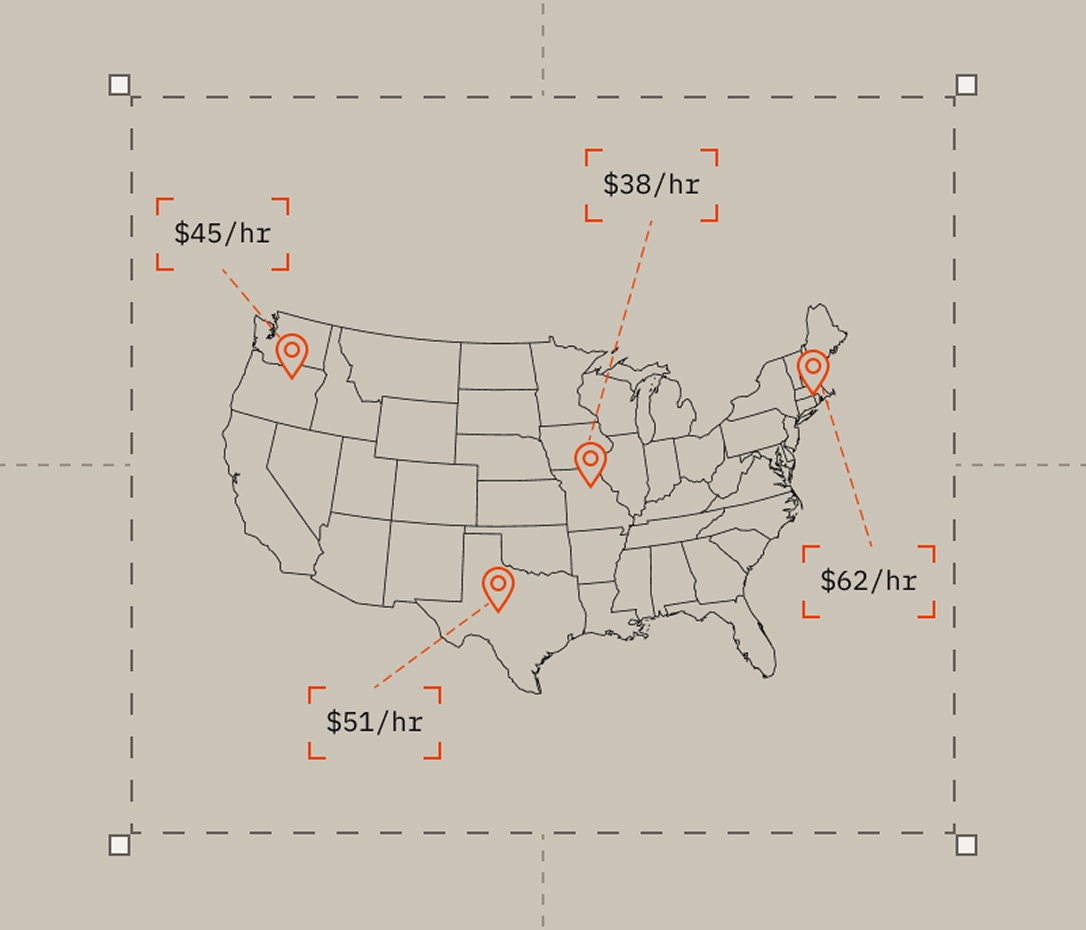
Set rates by labor type and group (region, crew, or union, etc.) so every estimate pulls the correct number.
Connect every price to your estimate
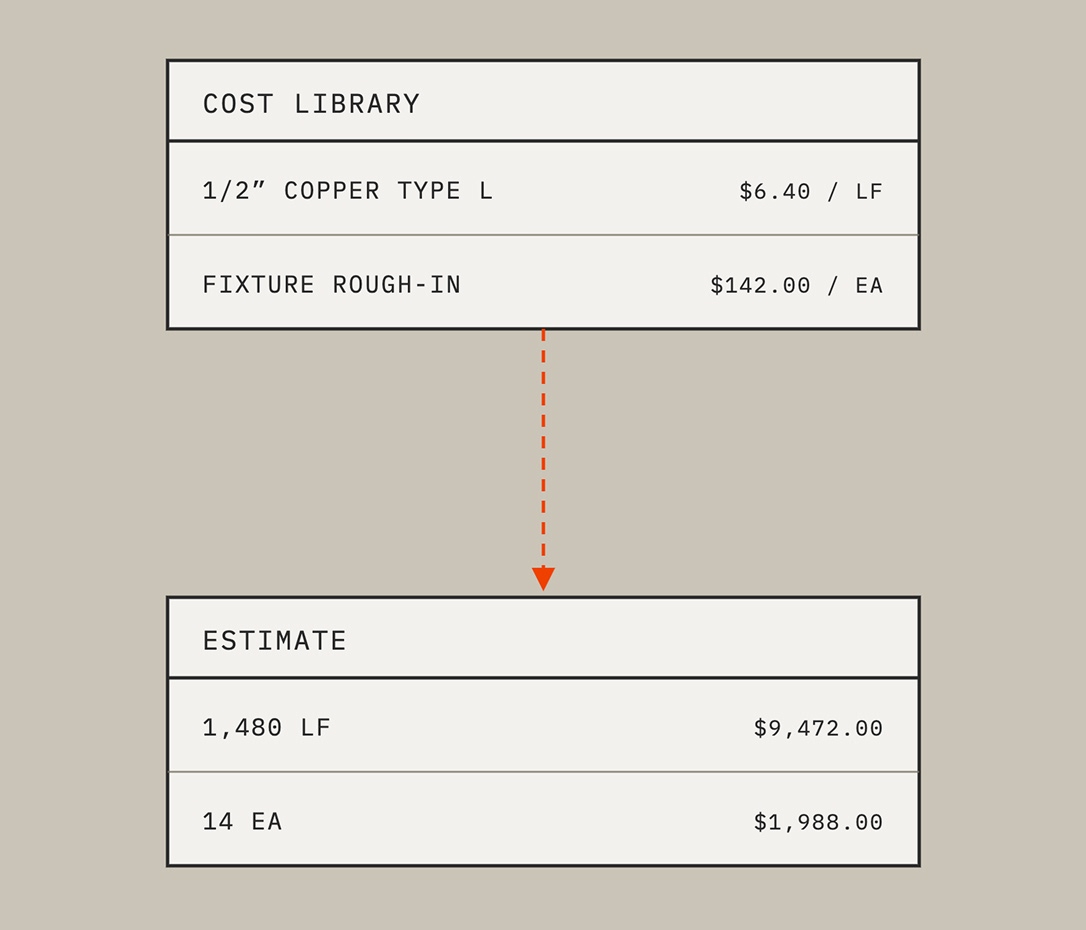
Items and assemblies you build here flow directly into your next estimate, with no manual re-entry.
Trusted by estimators and owners like you

If you're trying to level up your estimating this season, there's nothing else like this on the market. Period.”
Marty Grunder · Founder, Grunder Landscaping
Takeoffs are built around materials, so your quantities and pricing are already dialed in from the start.”
Marty Grunder · Founder, Grunder Landscaping

I would strongly recommend Bobyard just because of the time saved, the accuracy, the efficiency.”
Selena Herren · General Manager, Smith & Enright

Bobyard is a tremendous tool. I would never go back to the way that we did it before.”
Quint Henninger · EVP, Green Landscaping

This is literally the future of estimating in landscaping, and it's time to get on board.”
John Barrett · Chopper Landscaping

Bobyard has been a game changer for us.”
Gino Borello · Co-Owner, New Path Landscape
Features powering your cost database
• Multiple cost types on one item. Capture material, labor, equipment, and subcontractor cost in a single entry.
• Purchase-unit conversion. Converts your measured quantities into the units you actually buy in.
• Item numbers and accounting codes. Keep every item consistent with how your accounting system already tracks cost.
• Assemblies of assemblies. Combine items and other assemblies into one reusable template, so complex installs are built once, not rebuilt every time.
• Required and optional items. Set what every install needs, plus optional item groups your team can add only when a job calls for it.
• Bid-ready flag. Mark an assembly as fully priced and ready to use, so your team always knows what's good to bid.
• Organize how you need. Structured the way your team already thinks about pricing, not the way software assumes you should.
• Rate groups by location or union. Set different labor rates for different regions, crews, or union agreements, inside the same database.
• Labor type by labor group. A full labor rate table means every estimate pulls the correct rate automatically with no manual lookup.
• Bulk CSV import. Bring in a cost library you've already built, using Bobyard's standardized template.
• Migration support. For larger or more complex libraries, Bobyard's customer success team can help with the transition.
Explore your trade
You're building the future. So are we. You're building the future. So are we. You're building the future. So are we.
You're building the future. So are we. You're building the future. So are we. You're building the future. So are we.
FAQ
A reusable library of pricing across material, labor, equipment, and subcontractor costs. In Bobyard, you build it once and it gets applied across every estimate, with no re-entry required.
A spreadsheet works until multiple estimators need the same numbers, or pricing has to change in more than one place. Bobyard keeps one cost database connected to your takeoff and estimate table, so every estimator prices from the same numbers.
Yes, Bobyard provides a standardized bulk-import template, so you can bring in pricing you've already built without re-entering it manually. For larger or more complex libraries, Bobyard's customer success team can help with the migration.
A cost database is your reusable pricing library. An estimate applies that pricing to the specific quantities from a takeoff. In Bobyard, the two connect directly so your database feeds every estimate automatically.
An assembly bundles multiple individual costs like materials, labor, equipment into one reusable template. In Bobyard, assemblies can even contain other assemblies (“nesting”), so your most complex installs are built once and reused on every future job.